Gender Swap AI
Account & credits

Trends / Character wardrobe

AI character outfit changer

Your character. A new outfit. Add two images, adjust the instructions, and create the next look.

1 free credit per week. GPT Image 2 Low uses 1 credit per image. No account required.

Or use one of our original outfit references:

Generating sends your images and instructions through our server to AI services. Privacy policy

Choose a suggestion before adding your details: it replaces the whole instruction. Full-body look also requests a standing pose and studio background.

Suggestions

Your result

One character, a different wardrobe

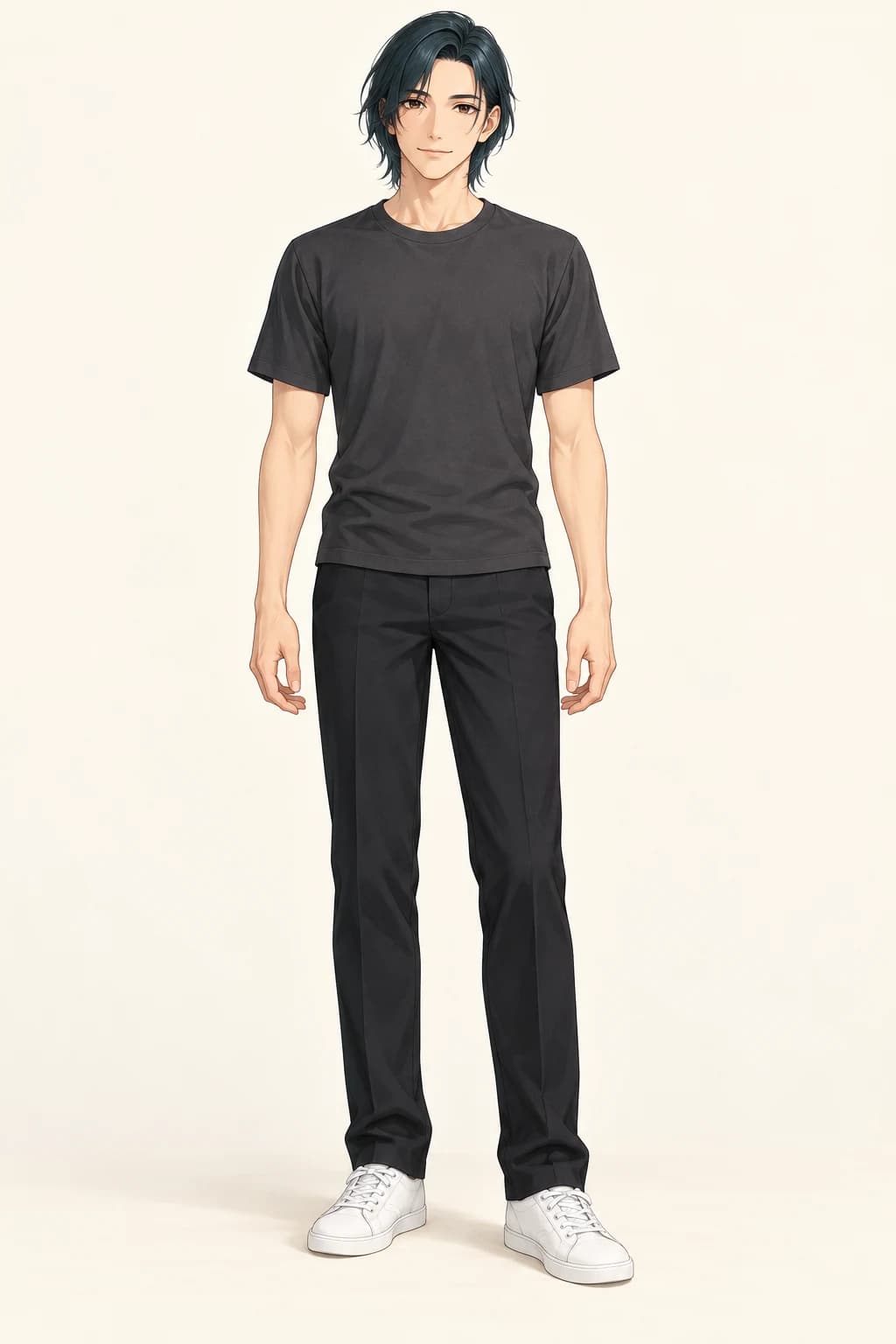
Image 1 supplies the character. Image 2 supplies the clothes. The example below shows the intended clothing transfer.

Adult illustrated character in a charcoal T-shirt and dark trousers
1 · Starting character
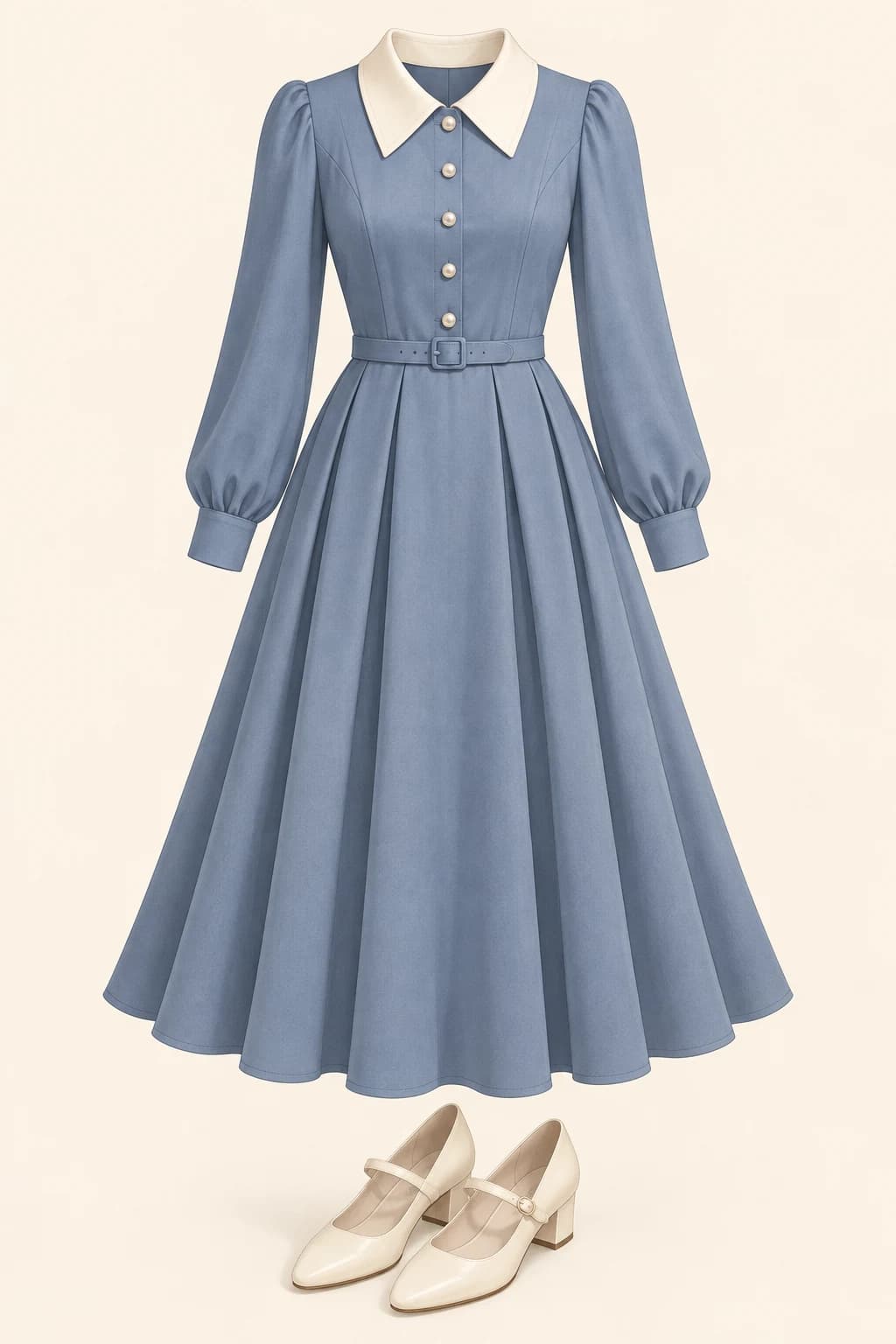
Blue long-sleeved dress with an ivory collar and Mary Jane shoes, without a model
2 · Clothing reference
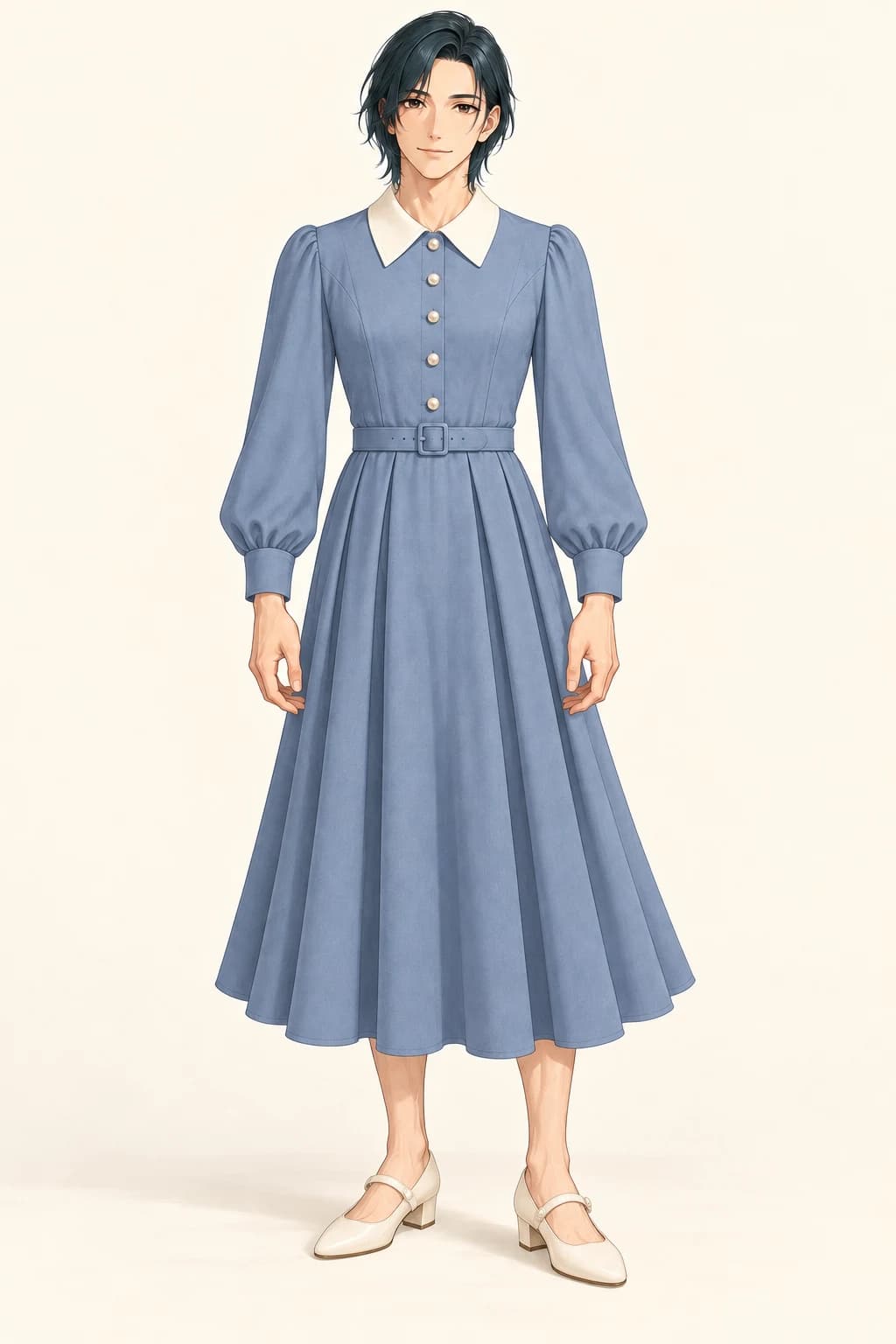
The same illustrated character wearing the blue dress and ivory shoes
Illustration example

Loads both images and editable instructions. You choose when to generate.

Original AI illustration example, made separately from this website's generator. Your result depends on the model, images, and instructions.

By generating, you accept the Terms and confirm you and all real people shown are 18+, with permission to use the images.

The generate button shows the selected settings' credit cost. Choosing an example prepares inputs; you choose when to generate.

See what each image contributes

Compare the starting character, the clothing reference, and a finished illustration. Both examples use the same starting character. The dress changes the wardrobe without requesting a gender change; the jacket example changes the layers, trousers, and shoes.

Adult illustrated character in a charcoal T-shirt and dark trousers
1 · Starting character
Blue long-sleeved dress with an ivory collar and Mary Jane shoes, without a model
2 · Clothing reference
The same illustrated character wearing the blue dress and ivory shoes
Illustration example

Try a dress on the same character

The ivory collar, blue skirt, belt, and shoes come from the clothing reference. The character's dark hair, face, pose, and illustration style come from the starting image. A feminine outfit does not have to change who the character is.

Loads both images and editable instructions. You choose when to generate.

Adult illustrated character in a charcoal T-shirt and dark trousers
1 · Starting character
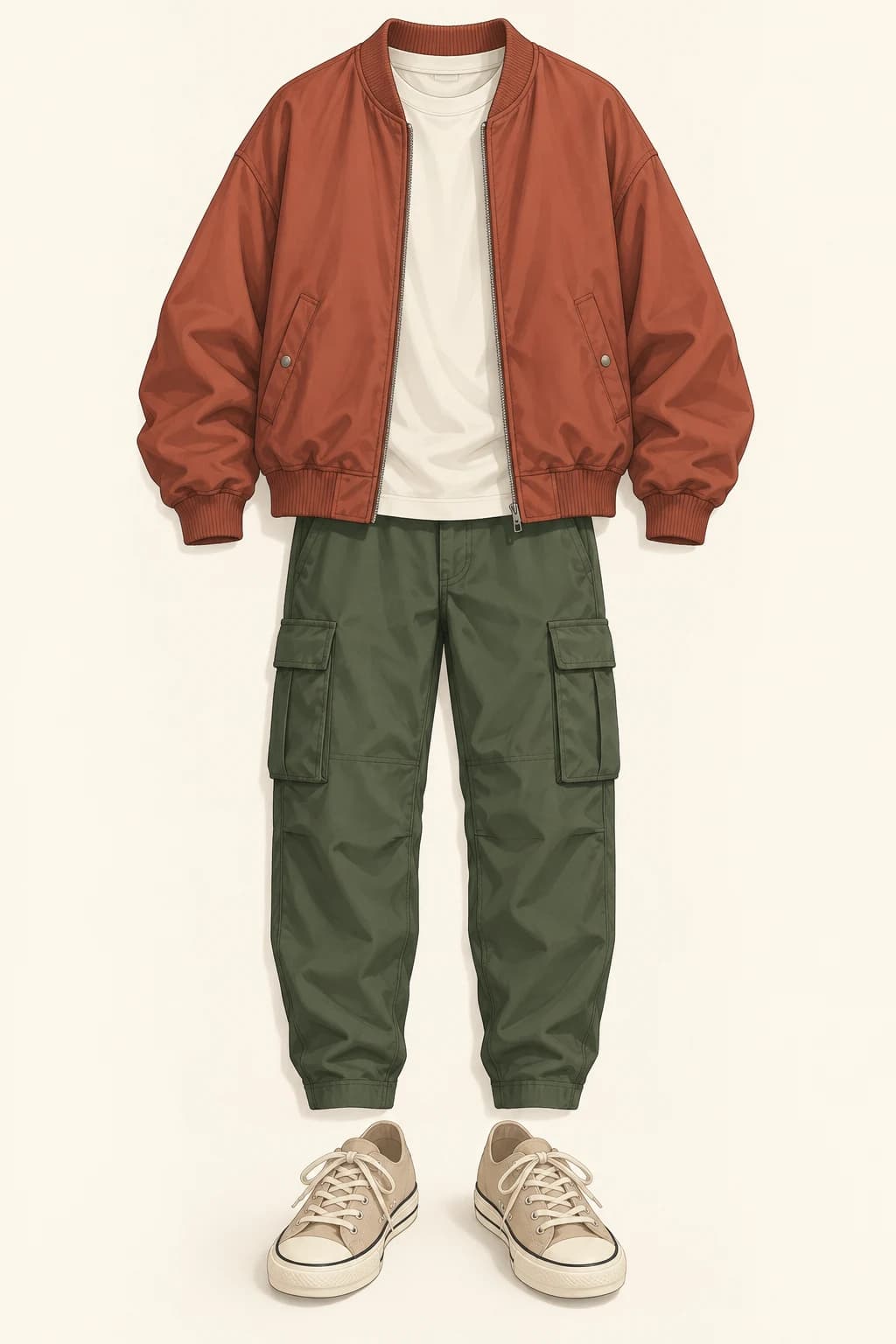
Rust jacket, ivory T-shirt, green cargo trousers, and canvas shoes without a model
2 · Clothing reference
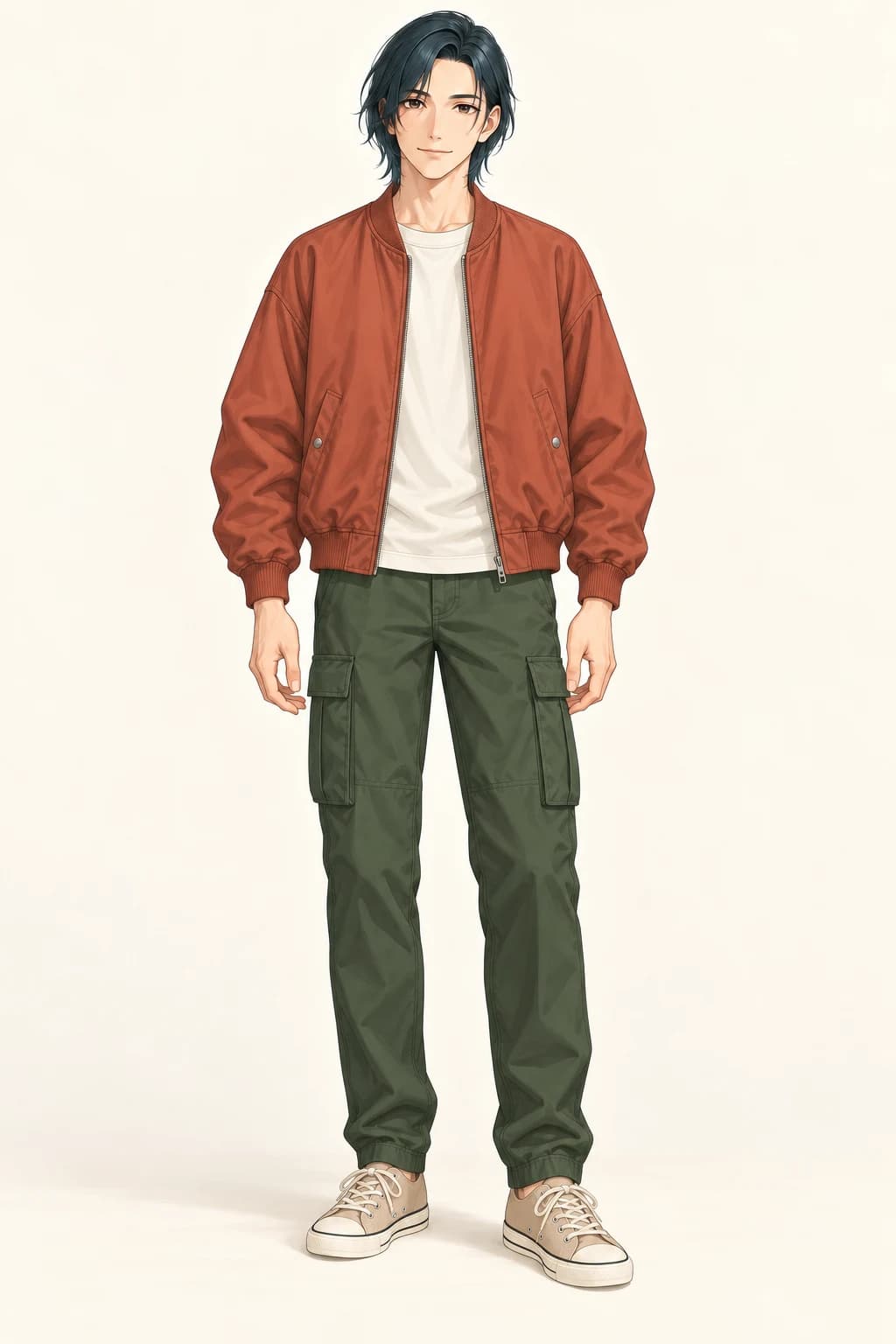
The same illustrated character wearing the casual layered outfit
Illustration example

Keep the character, change the whole look

Swap a plain T-shirt and dark trousers for a rust jacket, green cargo trousers, and canvas shoes. Use this clothing reference when you want a layered casual outfit rather than a dress. You can keep the original character ready while comparing different outfits.

Loads both images and editable instructions. You choose when to generate.

Original AI illustration example, made separately from this website's generator. Your result depends on the model, images, and instructions.

From a clothing reference to a new outfit

  1. 01

    Prepare the character

    Choose a character image with a visible face, hairstyle, and enough of the body for the clothes you want to change. A full-body outfit is easier to explain with a full-body character image. For a portrait, start with a jacket, collar, or other clothing visible in that crop.

  2. 02

    Add one outfit

    Use your own clothing reference or open the original COSTUME-DB-01 gallery. Find a design, open its large preview, download the individual PNG, and upload it into slot 2. The gallery is a separate website: selecting a card there does not automatically fill this tool.

  3. 03

    Read, generate, and compare

    Read the visible instructions and change anything that does not match your intention. Choose a model and image settings, check the displayed credit cost, then generate. Compare the face and hair first, then the garment shape, sleeves, layers, and shoes. Keep the parts that work and make the next request specific.

Where do the free costume references come from?

ギア's COSTUME-DB-01 provides 1,407 AI-generated clothing references across eight categories. Browse a complete design, choose the collar, silhouette or layers you like, and use that image to describe a new wardrobe for your character.

Open a costume's large preview and select "元サイズをダウンロード(PNG)" to download one original PNG. Return here, put your character in image 1 and that outfit in image 2. The gallery supplies the reference; Gender Swap AI generates the edited character. Selecting a card on the external site does not fill this tool automatically.

Follow the original site's conditions for individual creative use, including permitted commercial work. Its references exclude real-person and minor depictions and prohibit bulk collection and redistribution of the image data. The designs are fictional clothing, rather than shop products. Our two example outfits are separate original illustrations; the Guide explains the source, downloads and permissions.

Which two images should I start with?

Use a single character whose face and hairstyle are clear. Match the crop to the task: a full-body source gives the model information for a dress, trousers and shoes; a portrait is a useful starting point for a visible collar or jacket. Use an appropriate fictional adult character with COSTUME-DB-01 references.

Choose one outfit image with readable sleeves, neckline, waist and hem. For a screenshot, crop the surrounding page on your device first. A collage or an obstructed garment can leave important parts open to interpretation. JPG, PNG and WebP are supported.

When your own clothing reference includes a model, describe image 2 as clothing only and image 1 as the character. Keep the character ready while you replace one outfit at a time. This workflow can help plan everyday clothes, seasonal looks or story costumes; it does not measure the fit of a real product.

How do I keep the face, hair and drawing style?

Choose Keep the character, then name the features that matter to you. For example: "Keep the face, hair shape and original linework from image 1. Use image 2 only for clothing." Add distinctive features such as eye color or an accessory. The starting request also preserves proportions, gender, pose and background.

Suggestions replace the entire instruction. Choose one first, then add your own requirements. Match outfit details emphasizes the garment design. Full-body look also asks for a relaxed standing pose and studio background; use Keep the character when you want the existing composition. Clear empties the text, and edited or empty instructions survive refresh.

For a male character in a dress, keep the request to preserve gender and describe the dress as clothing. Ask explicitly if you also want a gender change. These instructions guide a newly generated edit, so compare the result with the source before continuing.

The result is different from my reference. What next?

Check identity first: face shape, hair, proportions and distinctive features. Then compare the outfit's silhouette, collar, sleeves, patterns and footwear, followed by the pose and background. An attractive image may still miss the detail you wanted.

When the character and composition are right and one garment detail needs work, choose Use this result as your character image. It replaces image 1 and keeps image 2. To restart after identity drift, upload your original character into image 1 again. Download a version you like before trying another.

The face or hairstyle changed

Re-upload the original character into image 1 and keep the outfit in image 2. Choose Keep the character, then add the features you need to preserve.

Example instruction

Keep the face, hairstyle and proportions from image 1. Use image 2 only for clothing.
The collar, sleeves or pattern are wrong

Check that these details are visible in image 2. Choose Match outfit details, then name the feature that needs correction. Start from a good result when its identity is already right.

Example instruction

Match the collar and sleeve length in image 2. Keep the character, pose and background from image 1.
The pose or background changed

Use Keep the character for the original composition. Full-body look deliberately requests a standing pose and a studio background.

Example instruction

Keep the pose, framing and background from image 1. Replace only the clothing using image 2.
It still follows the previous outfit

The outfit buttons keep your custom instructions. Remove wording about the old clothes and use one request that matches the new reference.

Example instruction

Image 2 is the new outfit reference. Replace the old outfit with this design; keep the character from image 1.

AI outfit changer questions

Change your character's outfit

AI outfit changer