Gender Swap AI
Account & credits

From a few words to a new image

AI Image Generator

Describe an idea and turn it into an image. Create illustrations, character art and product concepts from text, with optional reference images to guide the details.

3 free credits per week with GPT Image 2 Low. No sign-up needed.

Describe the subject, setting, style and light. You can generate from text alone.

3. Style (optional)

Choose a visual style preset. Add any custom style details in Prompt.

Your result
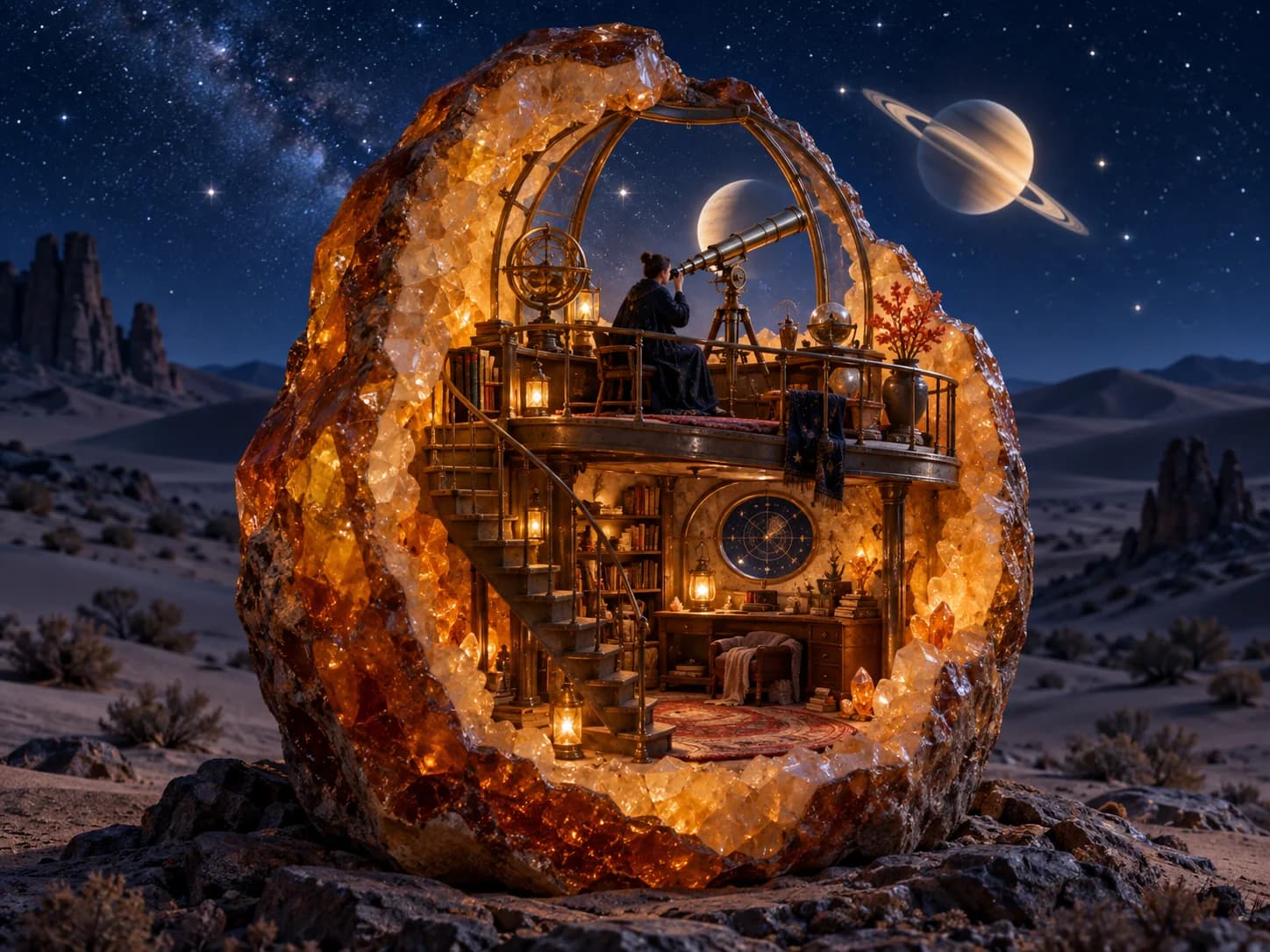
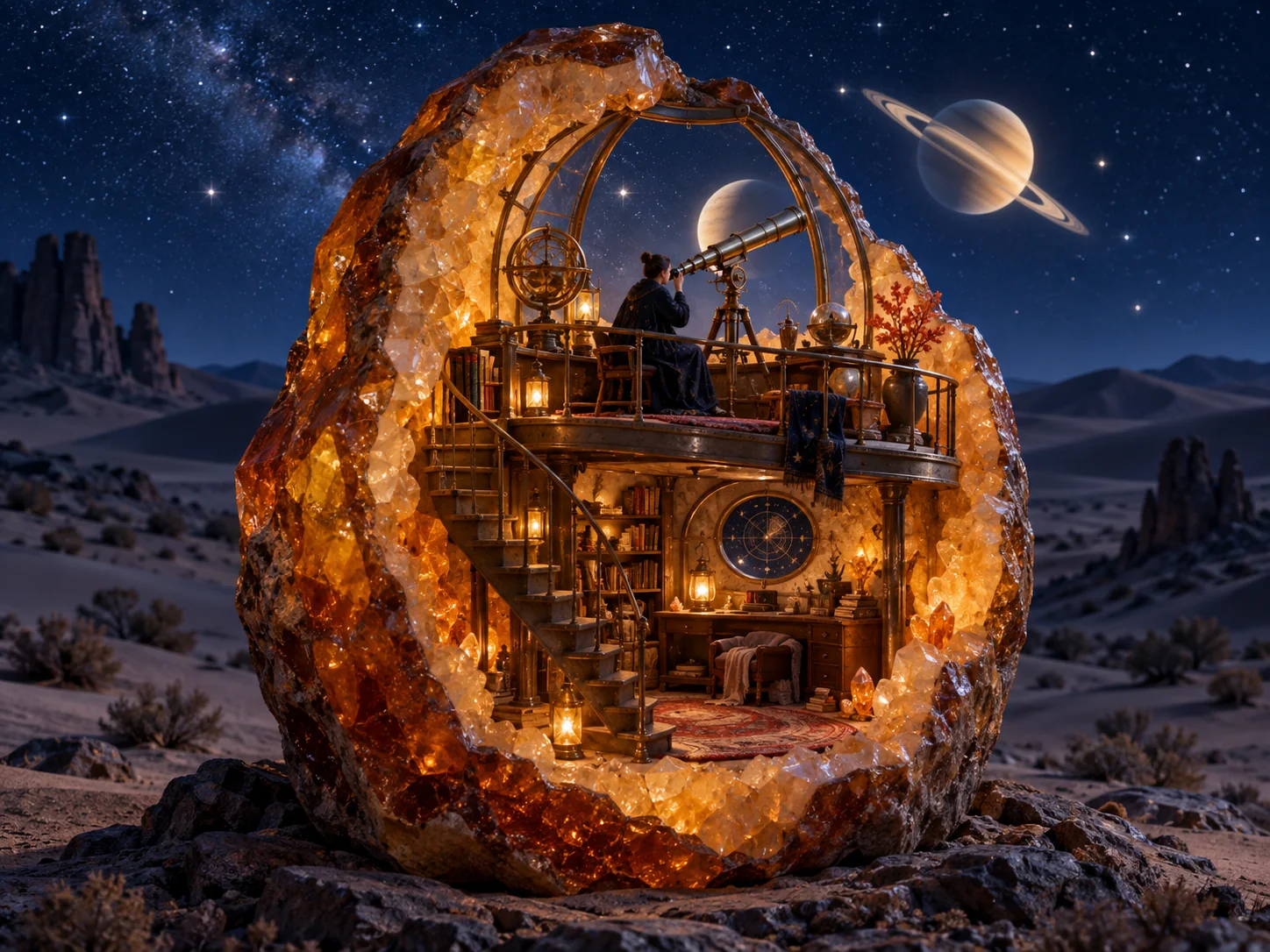
An illuminated amber geode observatory with a brass telescope beneath a ringed planet in a starry desert sky

An idea to start with

An observatory inside an amber geode. Try the prompt below, or describe something entirely your own.

AI image generator prompt examples

Start with a complete idea instead of a blank prompt. These three examples explore a fantasy scene, a handmade illustration and a product concept. Use a prompt to load it into the AI image generator, change any detail, then click Generate when you are ready.

An illuminated amber geode observatory with a brass telescope beneath a ringed planet in a starry desert sky

Imagine a new world

A familiar place with an unexpected material gives the image a clear focal point. Here, the contrast between warm amber and a cool desert night sets the mood. Try changing the geode to a glass shell, or the desert to a snowy mountain.

A tiny midnight observatory built inside a translucent amber geode, with a winding stair, a brass telescope and one astronomer studying a luminous ringed planet. Deep indigo desert night with low dunes and a clear star field. Tactile cinematic 3D illustration with mineral, brass, glass and fabric textures. Landscape composition, complete scene visible, strong silhouette. Warm light glowing from inside the geode against cool moonlight. Amber, indigo and muted brass palette. No text, logos, border or watermark.
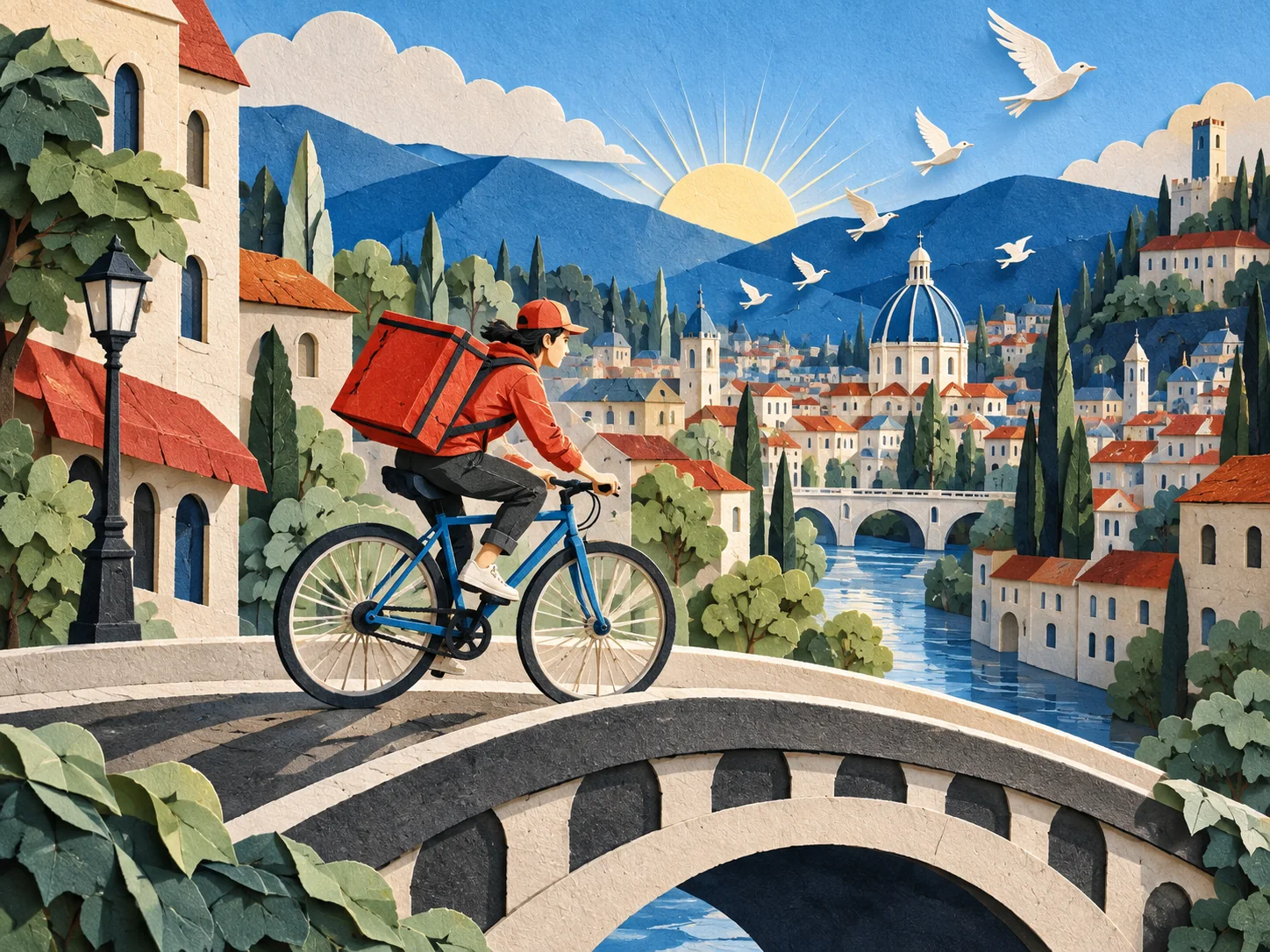
A bicycle courier crossing a curved bridge through a colorful city made of layered cut paper

Give an illustration a distinct style

Describe how the image is made, rather than asking for something simply “artistic.” Layered paper, visible fibers and folded edges give this city a consistent visual language. Keep No style selected to let the prompt direct the medium.

A bicycle courier riding through a city made entirely from layered cut paper, crossing a curved bridge while small paper birds lift into the air. Stacked buildings, trees, clouds and distant hills. Handcrafted cut-paper illustration with visible paper fibers, layered edges and a refined editorial finish. Landscape composition with dynamic diagonal movement; the bicycle and rider clearly readable. Crisp early morning light with long soft shadows. Cobalt blue, vermilion, cream and pale green palette. No text, logos, border or watermark.
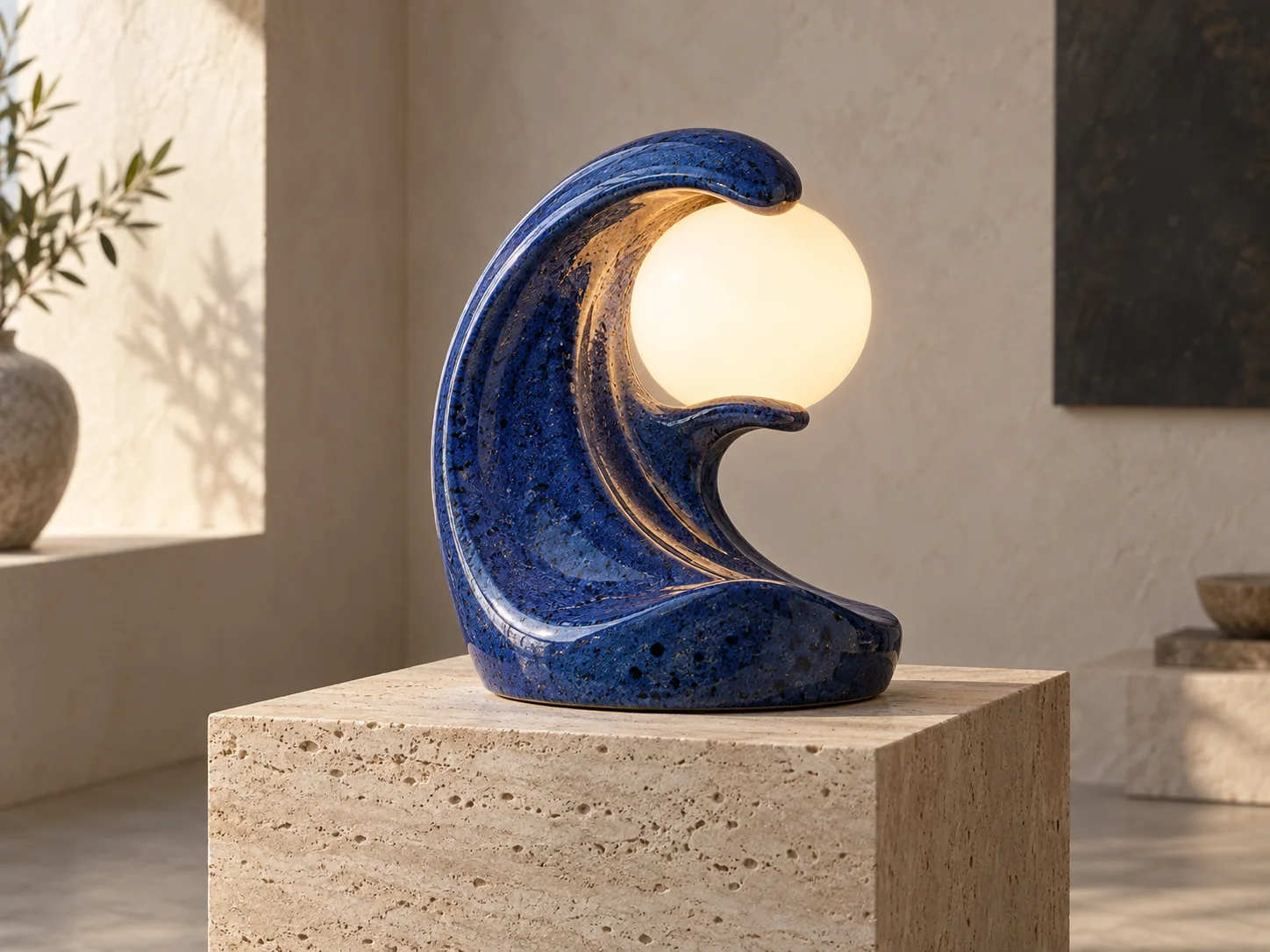
A cobalt ceramic lamp shaped like an ocean wave around a warm glass globe, displayed on travertine

Explore a product concept

Specify shape, materials, surface and lighting to explore an original object. This lamp is a concept visual. To work with an existing product, add its photo as a reference and say which shape, color and details the image generator should preserve.

An original sculptural table lamp shaped like a curled ocean wave, made from speckled cobalt ceramic with a warm opal glass globe. One lamp, fully visible, with no brand markings. A restrained gallery interior, travertine plinth and soft plaster wall. Premium studio product rendering with ceramic glaze, stone grain and glass diffusion. Landscape three-quarter view, centered product with generous breathing room. Soft directional window light and a warm lamp glow. Cobalt blue, warm white and pale sand palette. No text, logos, border or watermark.

How to generate an AI image

You can begin with a sentence. The AI image generator uses your prompt as the creative brief; references, style presets and image settings give you more control when you need it.

  1. Describe what you want to see

    Name a subject and place it in a setting. Add the medium, mood or light that matters to your idea. For example, “An orange cat asleep on a blue chair, gouache painting, afternoon window light” gives the image generator a specific scene to create.

  2. Choose references, style and image settings

    Upload a photo, drawing or other reference if it helps explain your idea. Choose a style preset, or leave No style selected and describe the look in your prompt. Open Image settings to choose the aspect ratio and model. The Generate button shows the selected setting's credit cost.

  3. Generate, review and refine

    Click Generate and review the result. Download an image you want to keep, or choose Continue editing to use it as a reference for your next request. Ask for one concrete change, such as warmer light or a different background. Each new generation uses the credits shown on its button.

Write an image prompt you can build on

A useful AI image prompt makes visible decisions. Start with the main subject, then add the details that change how the image should look. You do not need a long list of quality words. A short, coherent scene is easier to refine than several competing ideas in one prompt.

Subject and action
A bicycle courier crossing a bridge tells the image generator what to focus on and what is happening.
Setting and composition
A layered paper city, a wide view or a close-up gives the subject a place and a clear framing.
Medium and materials
Cut paper, gouache, ceramic or natural skin texture describes a visible finish. Keep your chosen style consistent with it.
Light and color
Morning shadows, warm window light or a restrained blue palette gives the AI image a more deliberate mood.

Change one thing at a time

If the first image is close, keep the parts of the prompt that worked. Change the camera angle, lighting or background before rewriting the whole scene. For a follow-up edit, say both what to change and what to keep: “Make the background a quiet gallery. Keep the lamp's wave shape, cobalt glaze and warm glass globe.” Review small details, faces and lettering before using the result.

Generate from text, or guide the image with references

Text-to-image works without an upload. Add reference images when the subject, colors or layout are easier to show than describe. You can upload up to ten images. Explain their roles in the prompt: “Use the first image for the character and the second for the color palette.” When editing a photo, describe the specific change and the details to preserve. References guide generation; the AI image generator can still alter details, so check the result before sharing it.

AI image generator FAQ

This page starts with an open image idea. For a gender-swapped portrait or character, use the main generator. The Malfoid generator offers editable female Draco prompts, and the AI gijinka guide collects character references and tutorials.

What would you like to create?

Start with your own idea, or use one of the image prompts above and make it yours.