Gender Swap AI
Account & credits

A new look, on your own photo

AI Makeup Try-On from Your Photo

Describe a makeup look or add a reference photo. Try it on your portrait, then make it your own.

Start with 1 weekly free credit. GPT Image 2 Low uses 1 credit per image. No sign-up needed.

When you generate, your images and instructions are sent through our server to the AI service. Photo privacy

Name the eyeshadow, liner, blush or lip finish you want. With a reference, say whether to borrow the whole look or just one part.

Start with a look

Your result

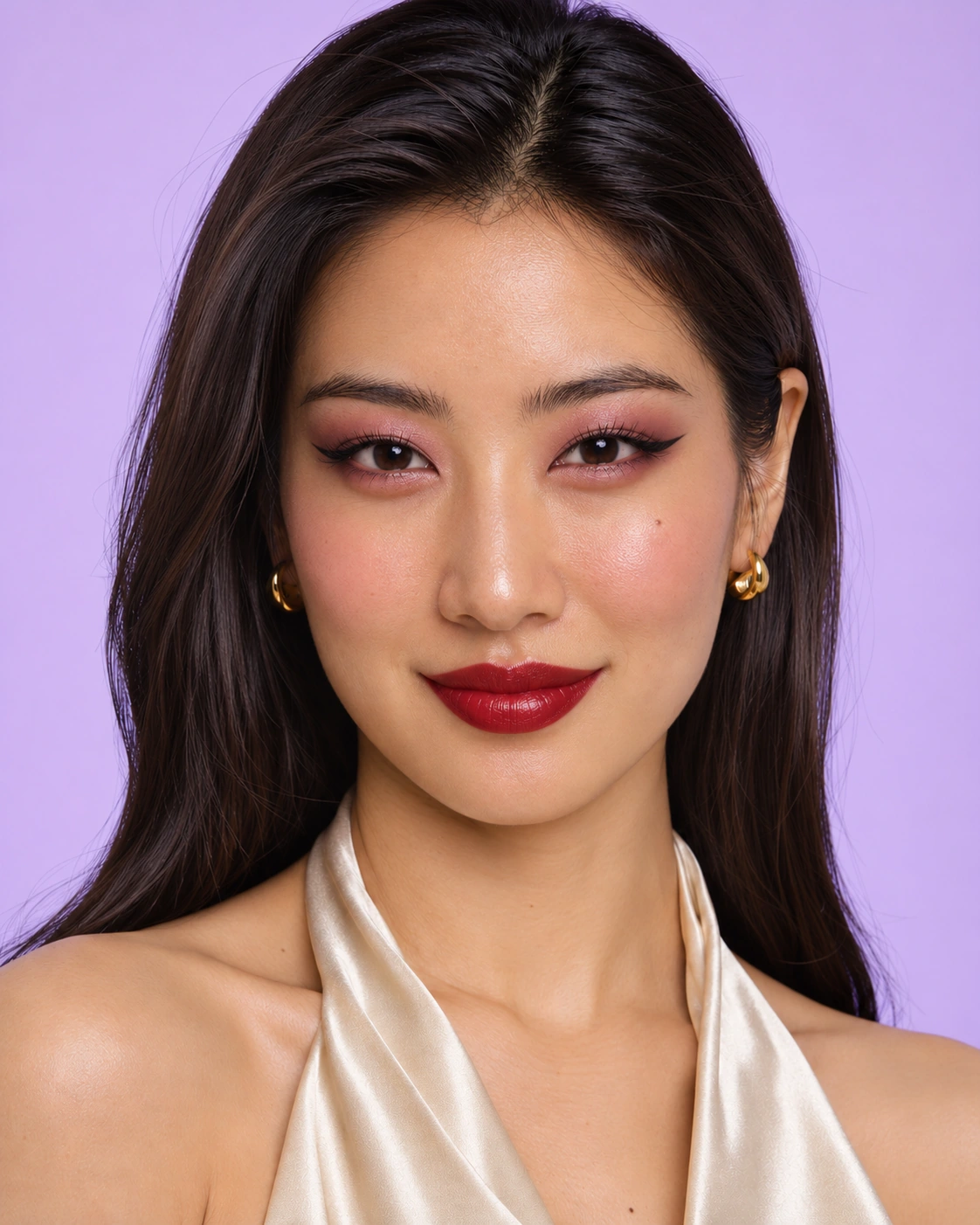
Your photo. Ready for a night out.

Rose eyes, lifted liner and a cherry-red lip. Try a look that turns heads.

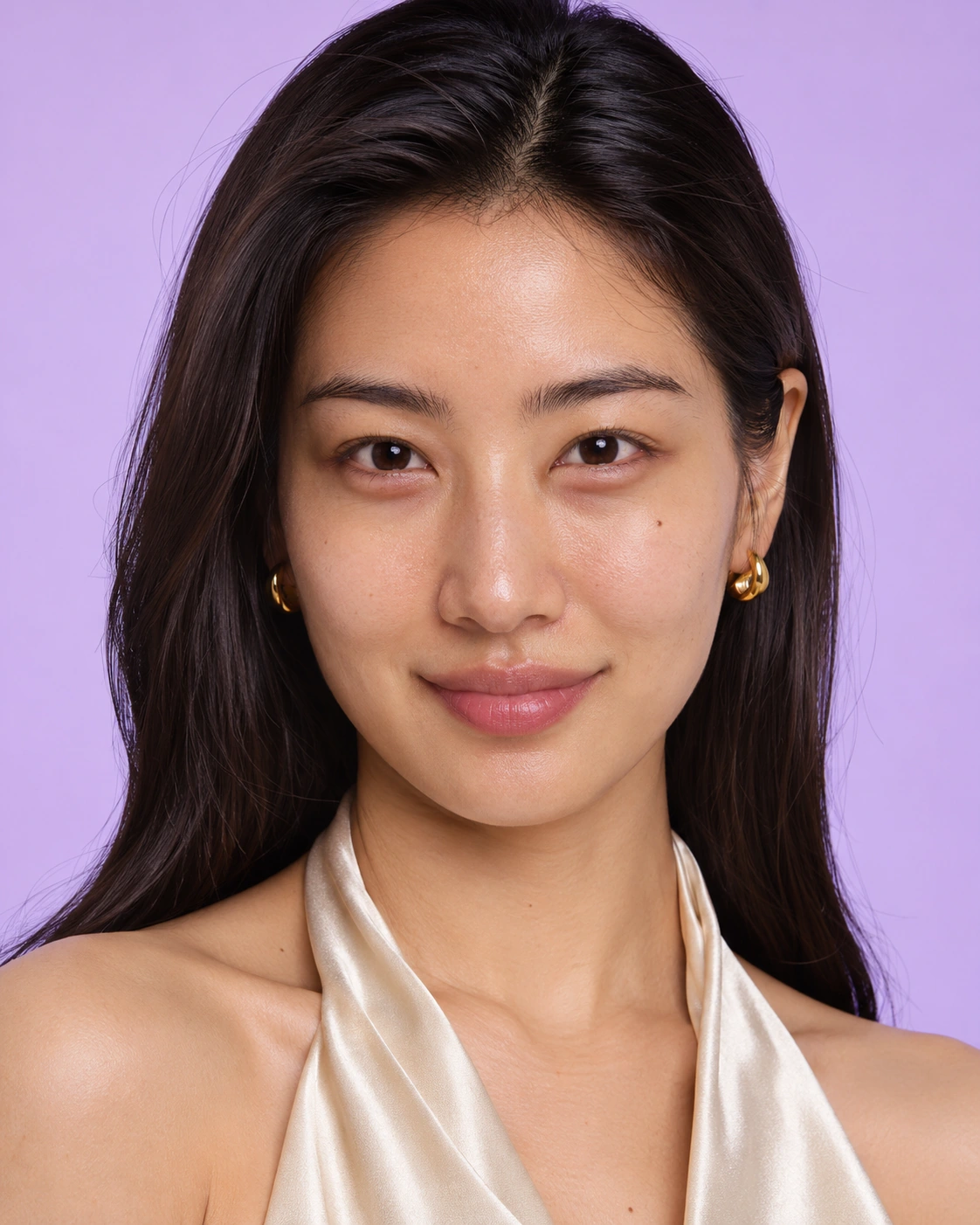
Original AI portrait of an adult woman with long dark hair, gold earrings and an ivory satin top against a lilac background
Your photo
The same woman with rose eyeshadow, winged eyeliner, rose blush and cherry-red lipstick
Makeup preview

Loads the photo and editable instructions. You choose when to generate.

Original AI-made example images, prepared separately to illustrate the look. Results vary with your photo, instructions and model.

By generating, you accept the Terms and confirm you and all real people shown are 18+, with permission to use the images.

Try a look in words, or borrow it from a photo

Choose a complete makeup look or just one detail. Each example loads the images and instructions shown here.

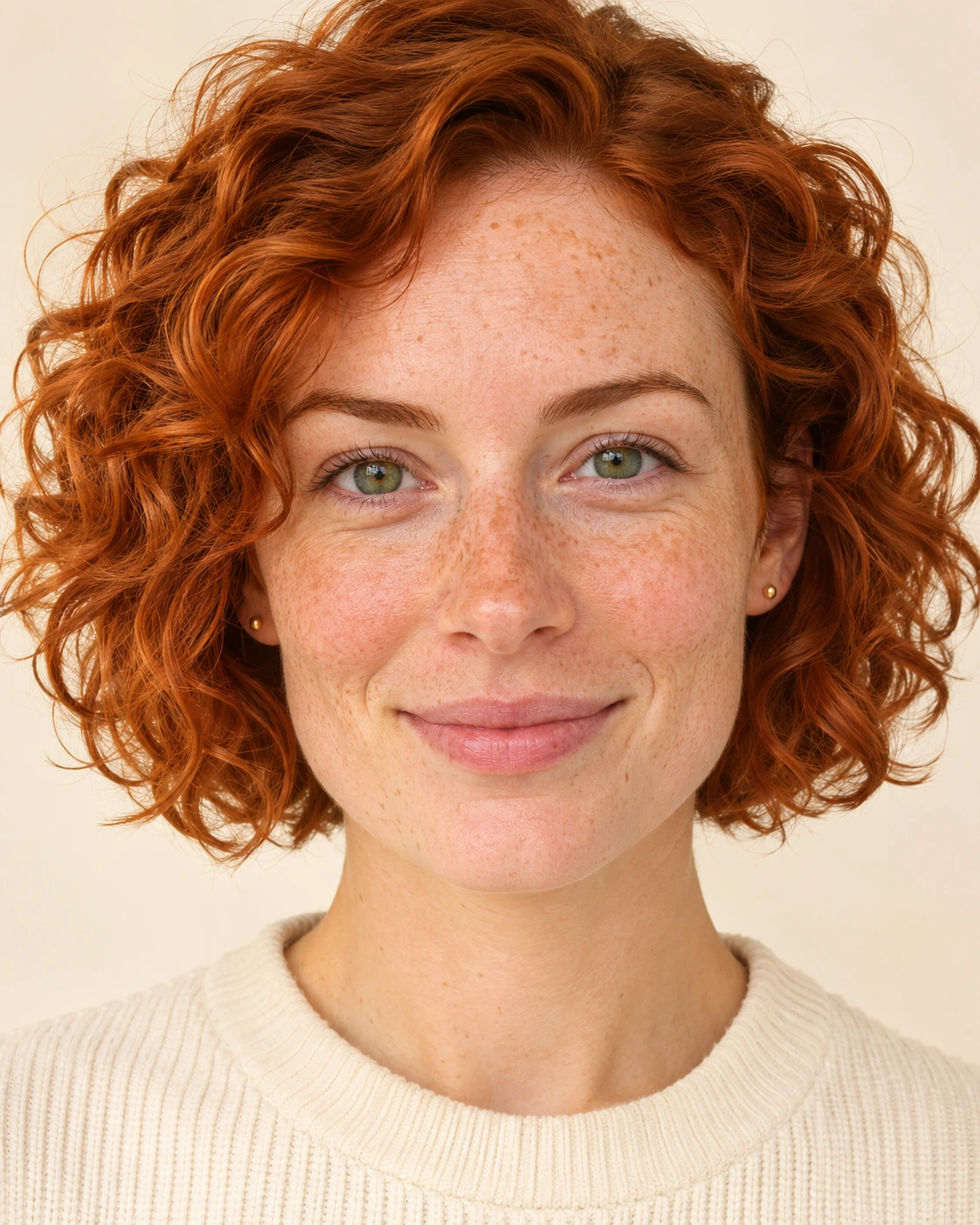
Original AI portrait of an adult woman with green eyes, freckles, a curly copper bob and a cream knit top
Your photo
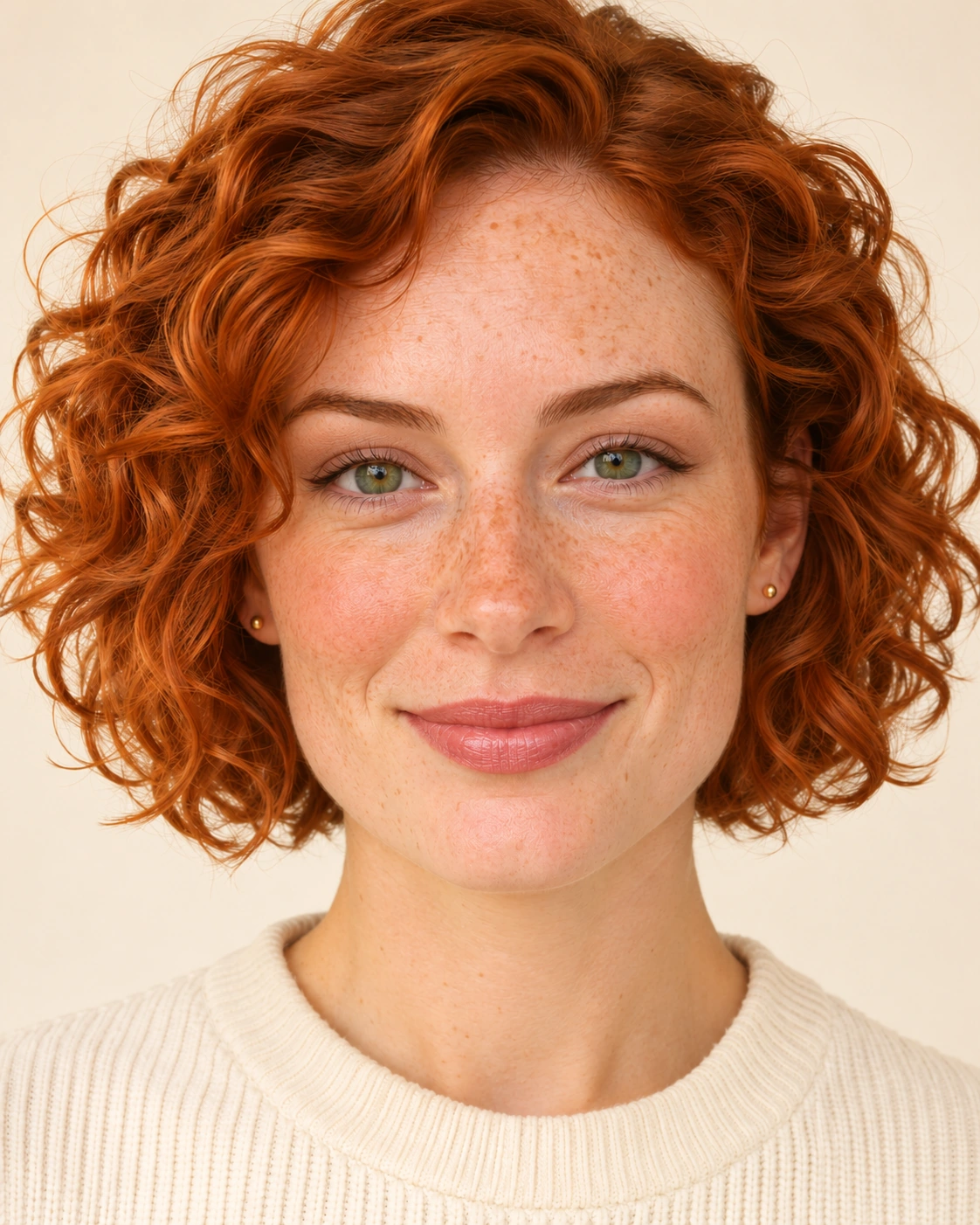
The same AI portrait with soft taupe eyeshadow, peach blush and rosy nude lipstick
Makeup preview

A natural look from a description

Frame green eyes with warm taupe, add a peach cheek and a rosy nude lip, and keep the freckles and copper curls. This example uses one photo and no reference.

Apply warm taupe eyeshadow, fine brown eyeliner, peach blush and rosy nude satin lips to Image 1. Keep the same person, facial proportions, freckles, skin tone and texture, expression, hair, clothes, lighting and background.

Loads the photo and editable instructions. You choose when to generate.
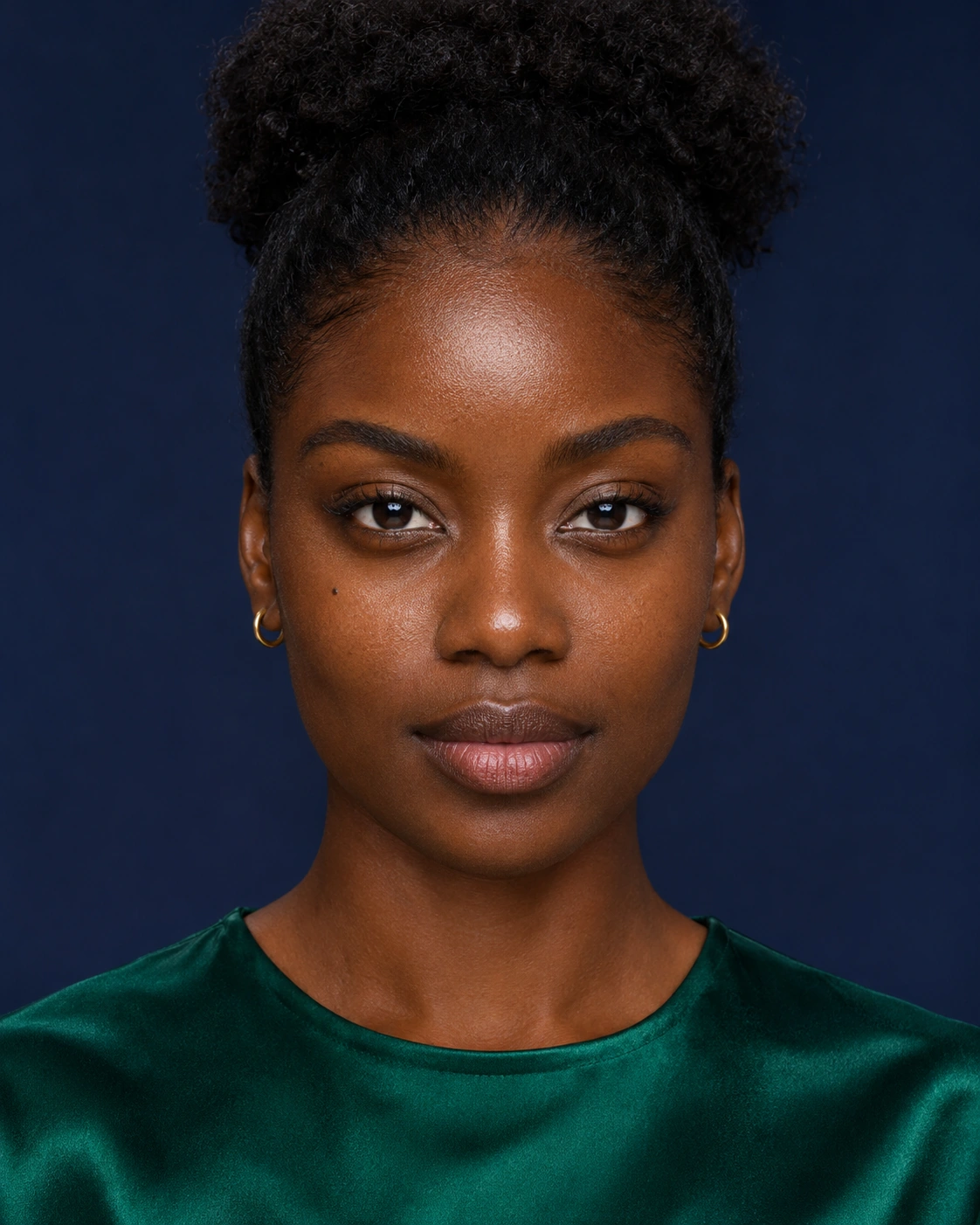
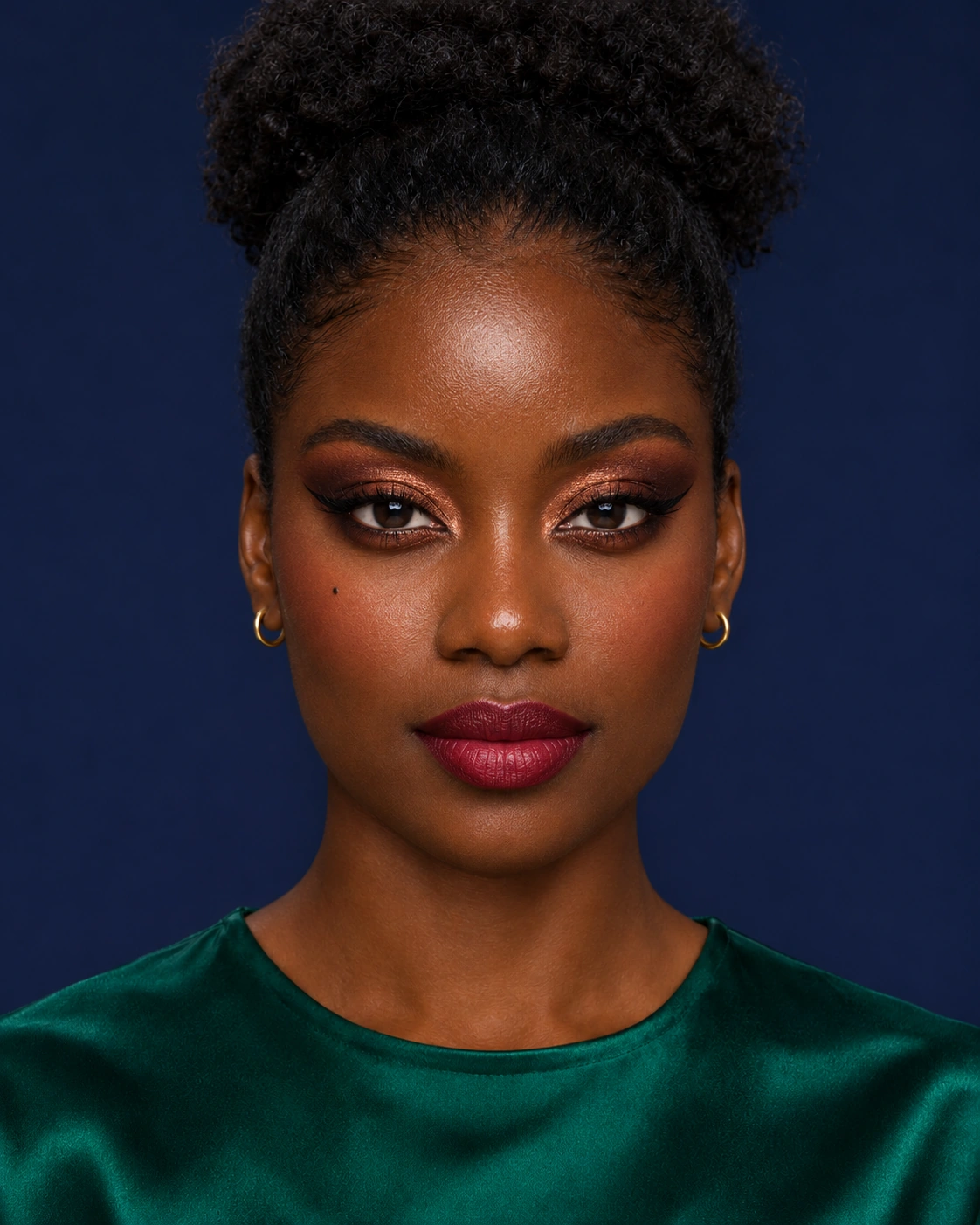
Original AI portrait of an adult Black woman with a high puff bun, gold hoops and an emerald top
Your photo
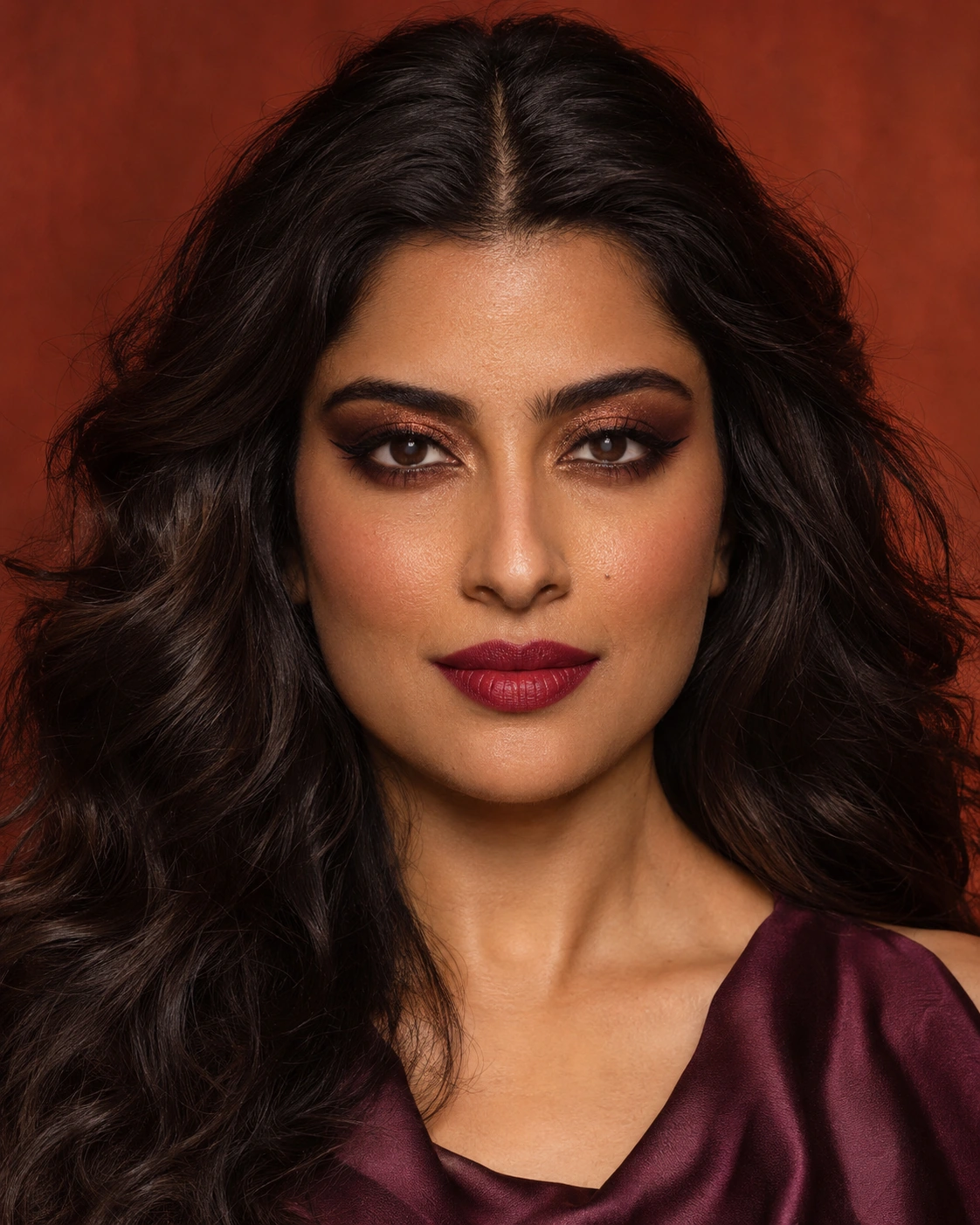
Different AI woman with long dark waves, copper-bronze smoky eyes, winged eyeliner and berry lipstick
Makeup reference
The same woman wearing copper smoky eyeshadow, winged eyeliner and berry-red lipstick
Makeup preview

Transfer makeup from a reference photo

Borrow the copper smoky eyes and berry lip from a different person. Your portrait supplies the face, hairstyle and setting; the reference supplies the makeup look.

Transfer the copper smoky eyeshadow, winged eyeliner, warm blush and berry satin lips from Image 2 onto the person in Image 1. Preserve Image 1's identity, facial proportions, skin tone and texture, beauty mark, expression, hair, clothing, lighting and background. Use Image 2 only for makeup, not for the other person's face or hairstyle.

Loads the photo and editable instructions. You choose when to generate.
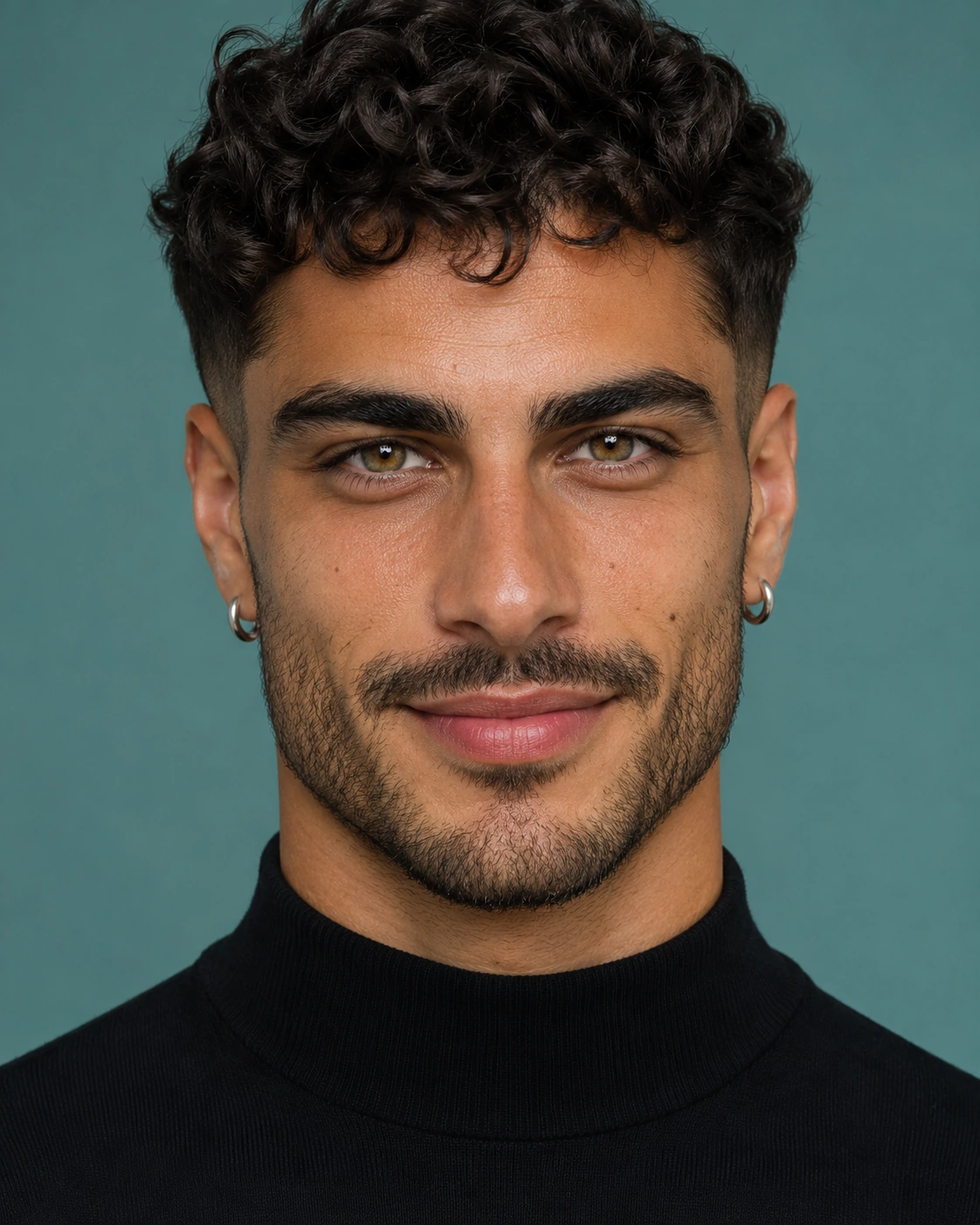
Original AI portrait of an adult man with dark curls, hazel eyes, stubble, silver hoops and a black top
Your photo
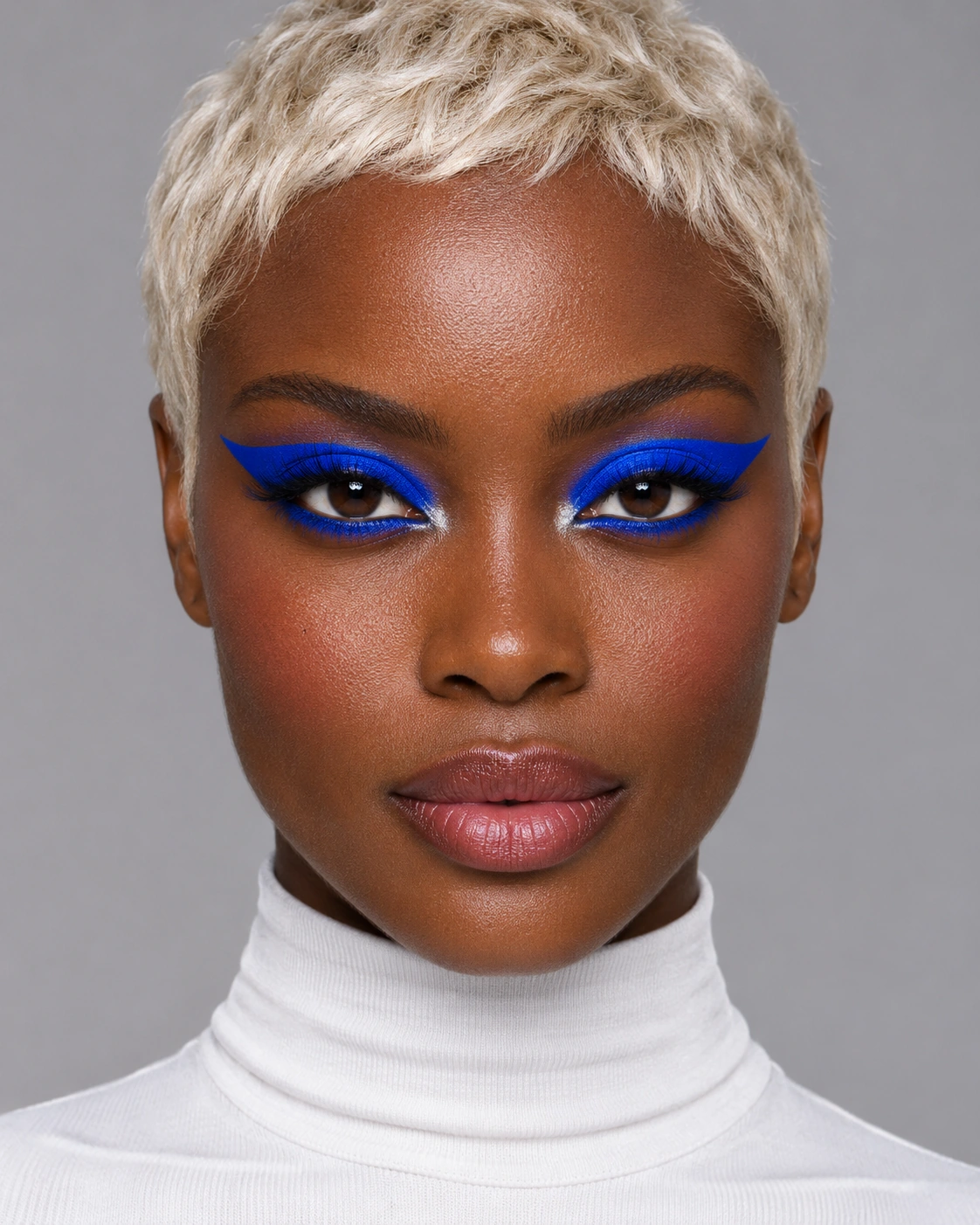
Different AI woman with a platinum pixie cut and vivid cobalt-blue winged eye makeup
Makeup reference
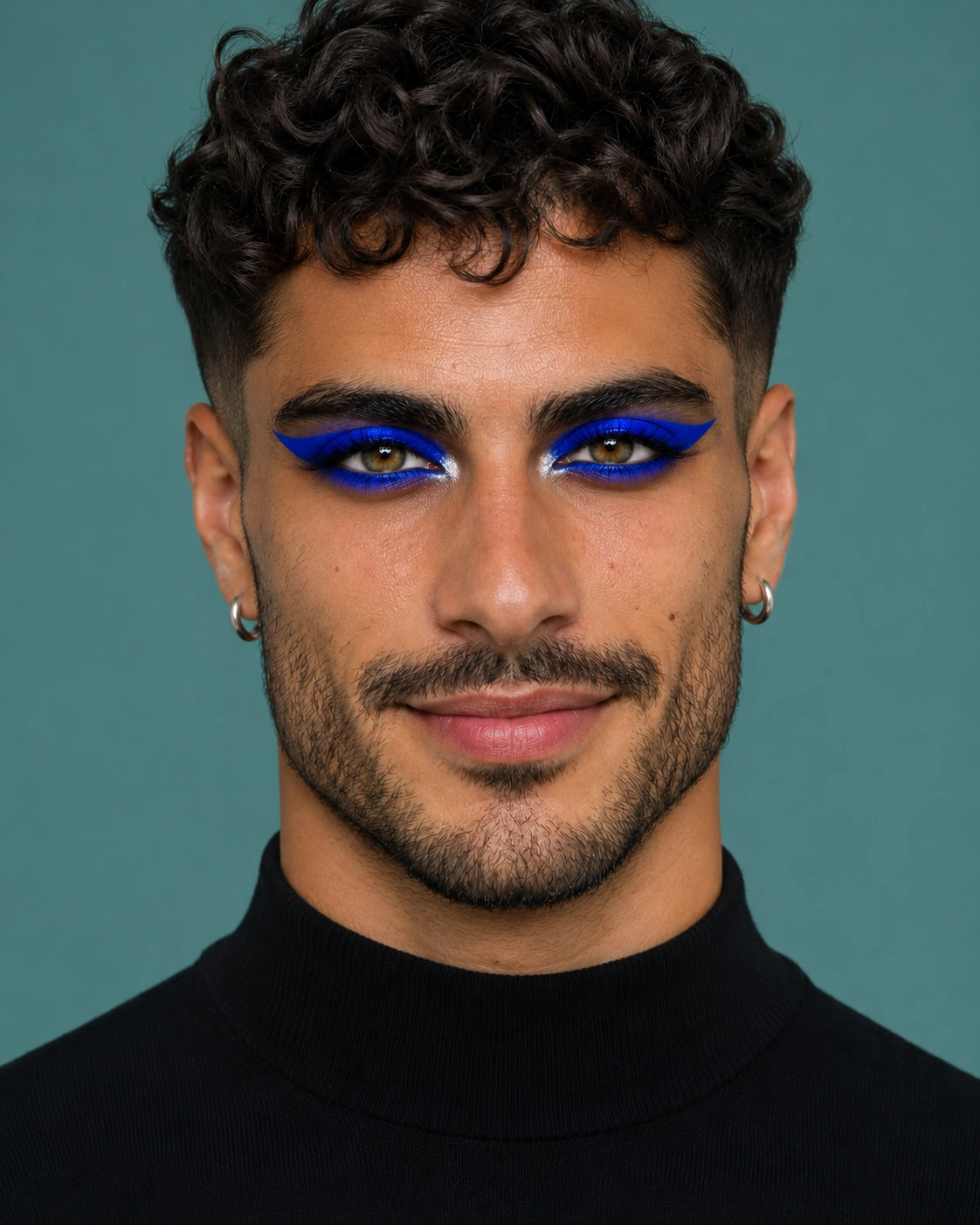
The same man wearing cobalt-blue graphic eye makeup while retaining his natural lips and stubble
Makeup preview

Borrow only the eye makeup

Try electric-blue eyes on a man's portrait while keeping his own lip color and stubble. Borrow the reference's graphic eye look and leave the rest of the face alone.

Borrow only the cobalt-blue eyeshadow, graphic winged blue eyeliner and silver inner-eye accents from Image 2 for the person in Image 1. Keep the original lip and cheek color, skin texture, facial hair, facial proportions, eye color, identity, expression, hair, clothing, lighting and background. Do not add the reference's other makeup.

Loads the photo and editable instructions. You choose when to generate.
Original AI-made example images, prepared separately to illustrate the look. Results vary with your photo, instructions and model.

From your portrait to a makeup preview

  1. 1. Add your photo

    Upload a clear portrait with the eyes and lips visible. A front or slight three-quarter view helps you compare both sides of the face.

  2. 2. Describe or reference a look

    Write the colors, placement and finish you want. Add one makeup reference if that is easier than describing it, and say what to borrow.

  3. 3. Generate, compare and save

    Check the credit cost, generate, then compare the eyes, cheeks and lips with your original. Download the result or continue with a specific adjustment.

Copy the makeup, keep your own features

Makeup transfer means using a second photo to guide the colors, placement and finish on your portrait. Name the parts you like: the shape of the eyeliner, how far the eyeshadow blends, the blush placement or the lip finish.

Keep the original portrait when comparing different looks. To refine a result, use it as the next photo; the makeup reference stays in place. To start again from your original face and makeup, re-upload the original portrait.

Make the next change specific

Too much makeup?

Ask for a softer version of the same look, with lighter eyeshadow and less blush. Keep the lip color if you like it.

Only want the eye look?

Say: “Use only Image 2's eyeliner and eyeshadow. Keep Image 1's lips, cheeks, facial hair and skin texture.”

The face or hair changed?

Start again with the original portrait. Specify that the reference supplies only makeup, and name the facial features and hairstyle you want to retain.

Questions before you try a look

Bring a look you want to try

Start with your portrait and a few words, or add a makeup reference.

Try makeup on my photo