
FIELD TEST · VIDEO CHARACTER REPLACEMENT
Seedance character consistency: three-view vs. single-view references
Gender Swap AI team · Tested November 7, 2026 · Updated November 8, 2026
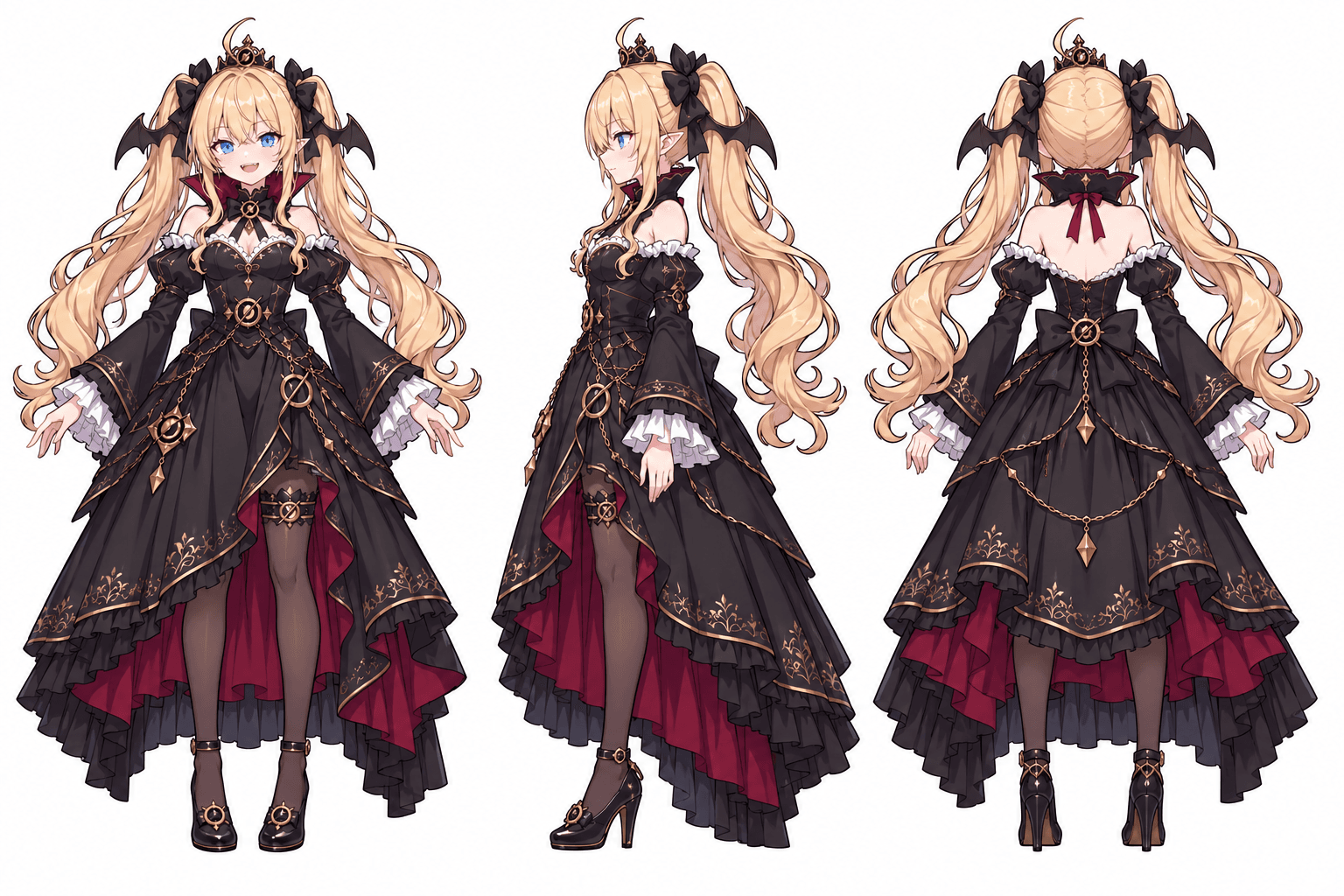
We wanted our illustrated Claude and Grok to perform the coffee-fail scene without losing their identities. The first render kept recognizable colors, but gave the drawings a rounded, 3D-looking finish. We then cropped one front view from each sheet and made one more clip with the same prompt, model and action video. That follow-up became our template example.
The useful change was a simpler input: one visible view of each character. The follow-up was acceptable for this template, while some dimensional shading remained. Below, you can inspect both attempts and use the same checks on your own result.
What we changed, and what we kept the same
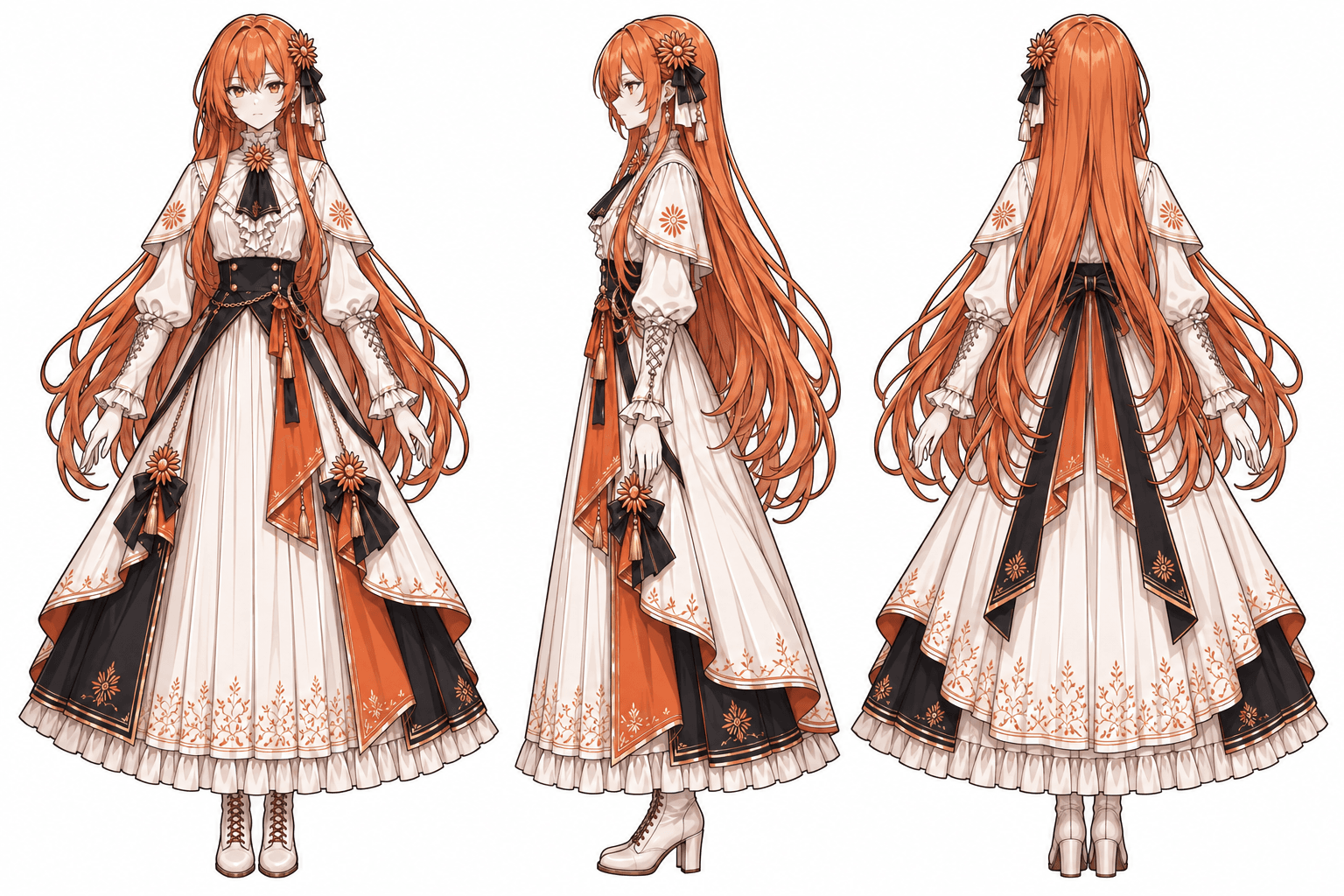
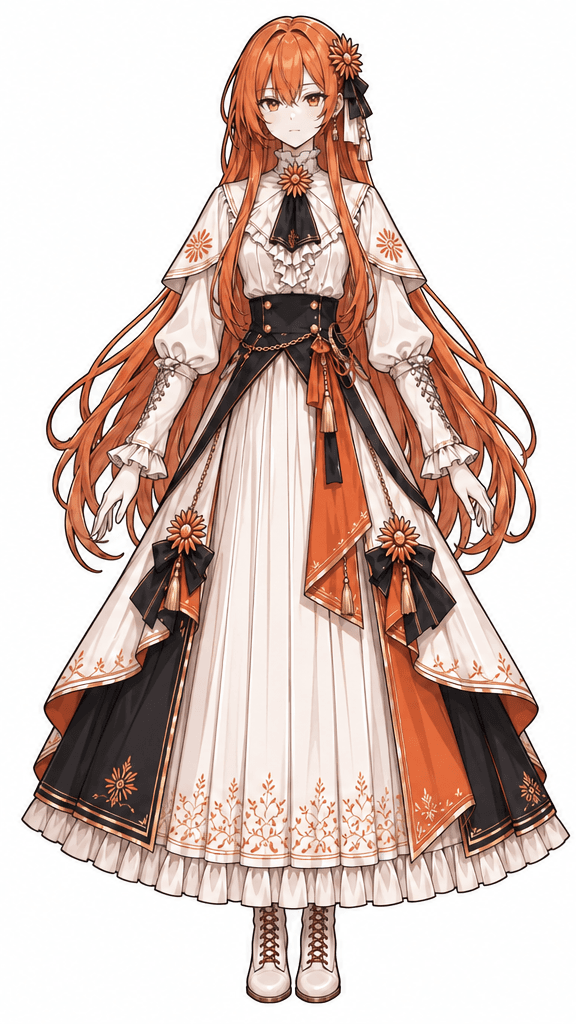
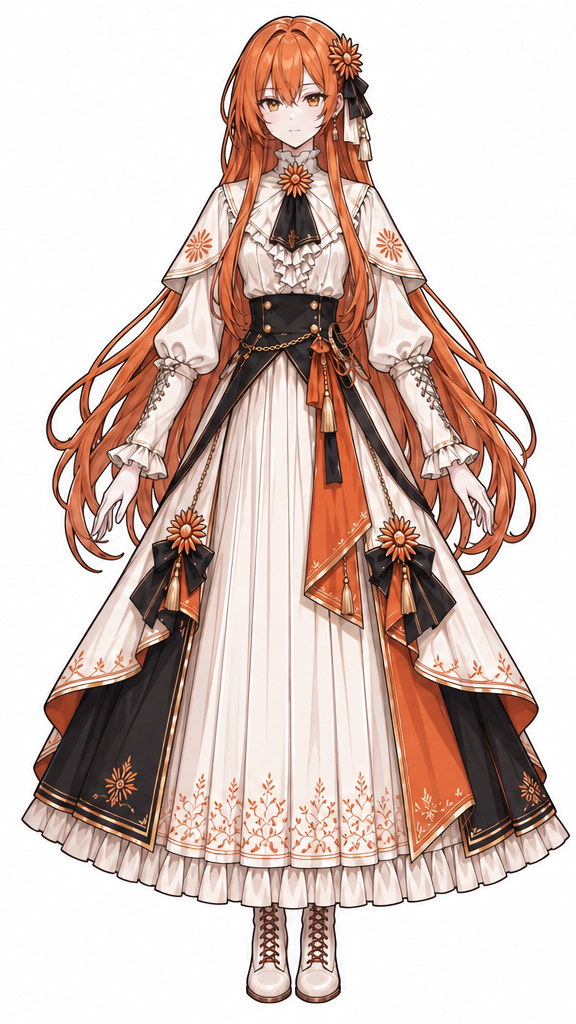
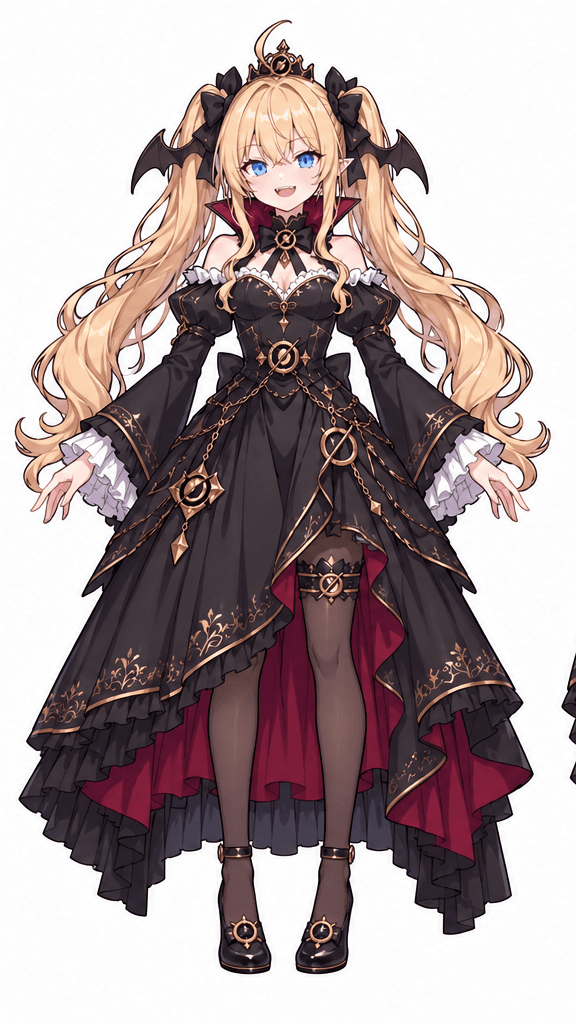
Each original PNG contained front, side and back views of one character. We extracted its front view as a separate 576 × 1024 PNG, preserving the original pixels. We did not repaint a face or upscale the drawing. This comparison contains one render per input setup.
| Test condition | Shared by both attempts |
|---|---|
| Cast and roles | Claude on the left moves the cup and pours; Grok on the right handles the spoon and mug. |
| Model and output request | Seedance 2.0 Mini · 480p · 15 seconds · 9:16 |
| Motion reference | The same 15-second original RGB coffee-fail clip |
| Prompt and music | The same complete Chinese prompt and original template soundtrack |
Watch the two results side by side
Watch the faces and shading first, then replay the hands and props. The starting images changed; the prompt and requested settings did not. We selected the single-view result after watching it. Two clips are a case study, not a measured success rate.
The cast stays recognizable
Both versions keep orange-haired Claude on the left and blonde Grok on the right. Color and position help identify the cast, but the shape of the face, accessories and treatment of shadows also need comparison with the drawings.
The visual interpretation still varies
At 2.0 seconds, compare the faces, crown, neckline and shading. The two renders interpret those details differently, and neither is a flat copy of the input illustration. We preferred the follow-up for this template. The input choice alone cannot explain every difference between two stochastic renders.
Check action order with a short sequence
Frame review corrects our earlier assessment: in both clips, the mug is already off the counter at 10.0 seconds, before the milk reaches the empty space at 10.5 seconds. The basic order is present. A single still can miss the lift, so review the contact, movement and release together.
Compare the same moments
These are frames extracted from the actual MP4s. The face comparison shows the upper part of each frame; the action comparisons show the lower part. Open any image to see the complete frame.
2.0 seconds · faces and drawing style
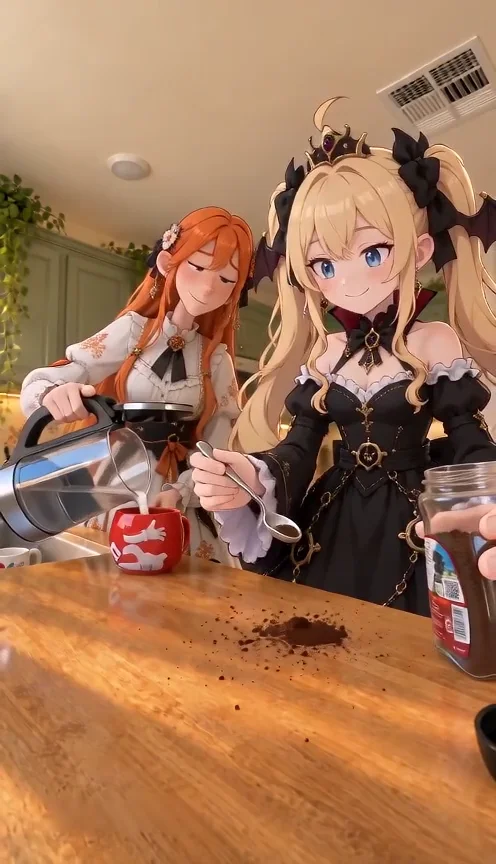
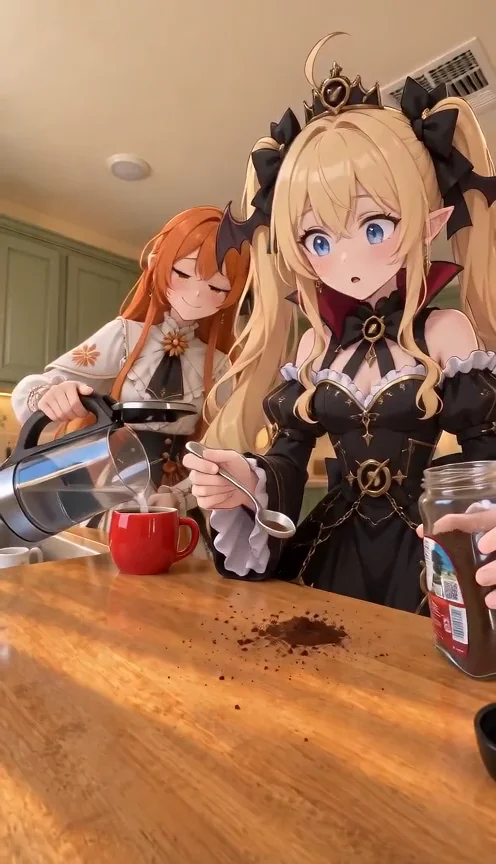
Look at Grok's crown and face on the right, Claude's face on the left, and the volume added by the shading. Recognizable hair color does not establish a style match.
10.0 seconds · the mug is lifted
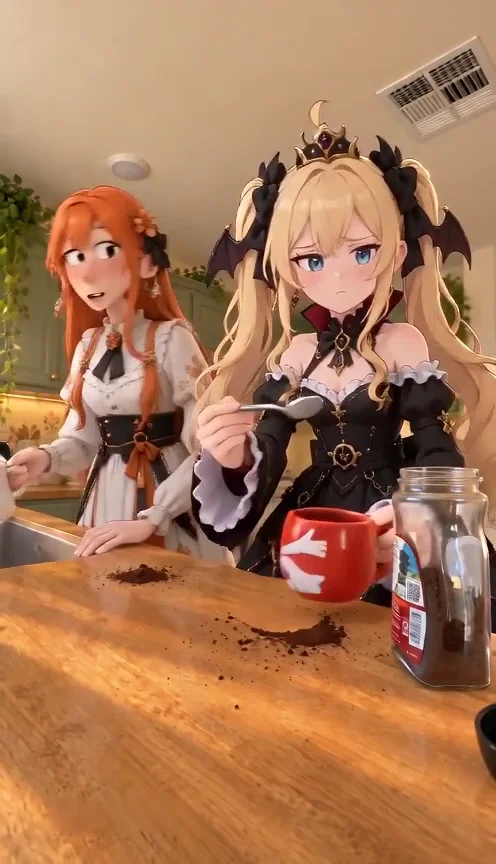
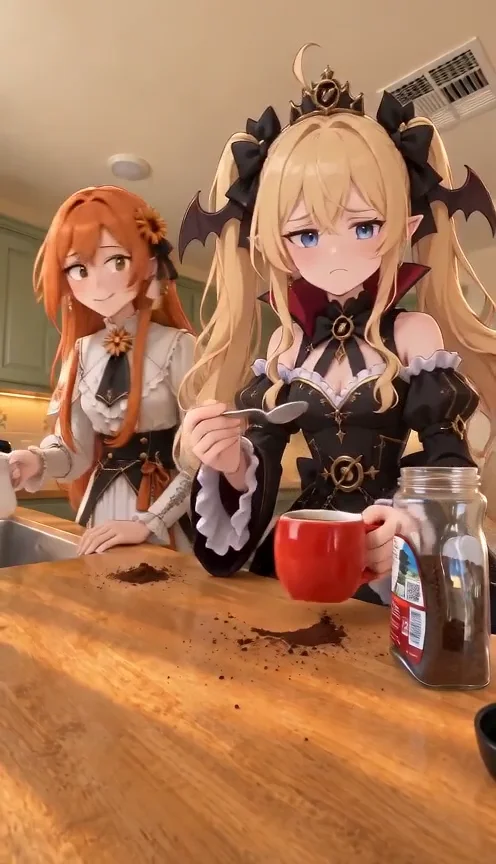
The red mug has a visible gap above the wooden counter in both clips. Its decoration differs between renders, so check props separately from character identity.
10.5 seconds · milk reaches the counter
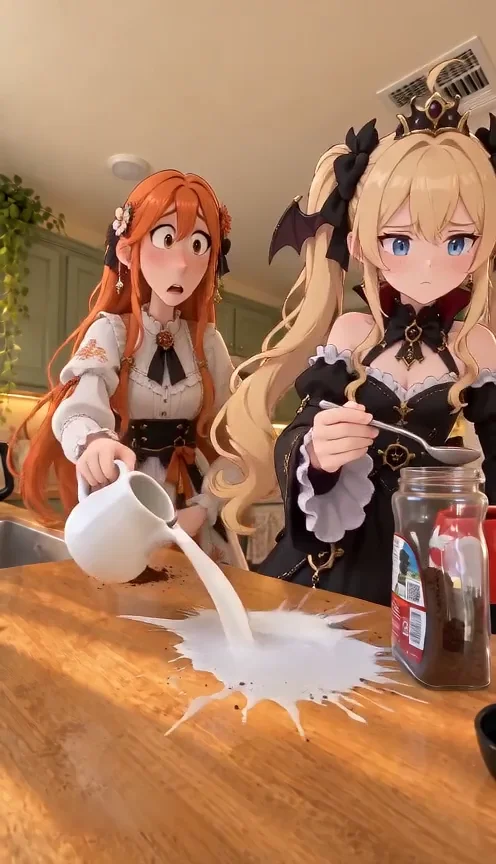
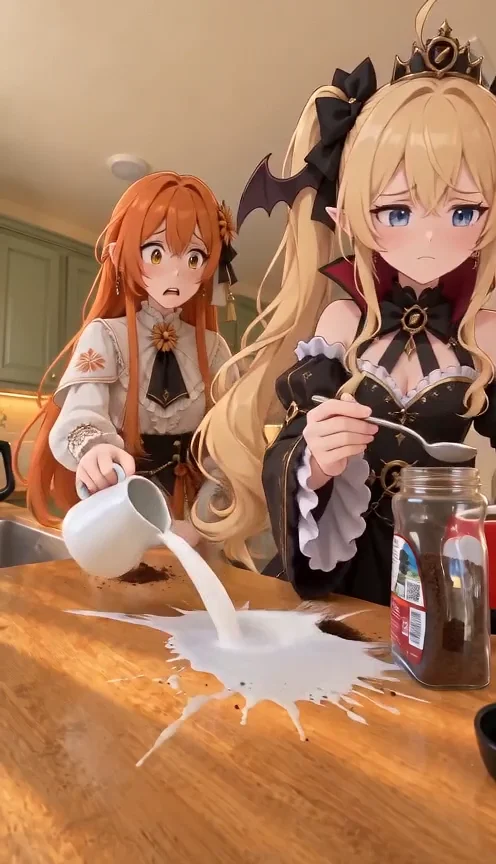
Milk now lands in the cleared area. These frames follow the lift shown above. Our previous claim that the milk came first was incorrect; the November 8 frame review corrected it.
Give each character one clear reference
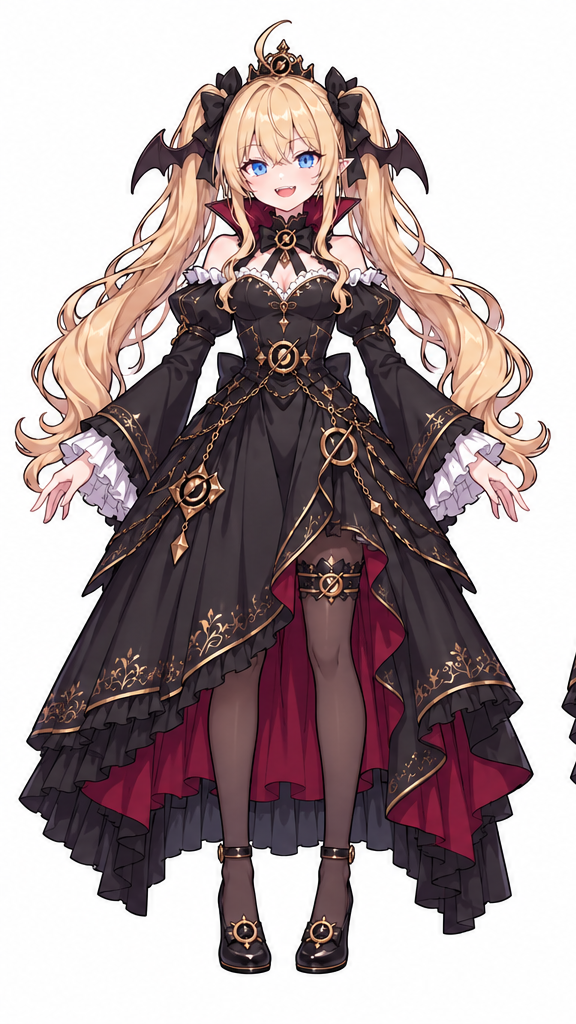
The role assignment stayed fixed. Claude goes in the left upload slot; Grok goes in the right. Their faces, hair, outfits and accessories come from those images. The RGB video supplies the performance and scene.
The pairs below show exactly where the new inputs came from. Open the PNG downloads to inspect the crops at their original size. These are the same files loaded by Try example in the generator.
Claude · left character
Grok · right character
Why we tried a single view
Volcano Engine's Seedance 2.0 prompt guide advises against multi-view character references: different views can be interpreted as separate subjects, and a small face is harder to reference accurately. It suggests explicit identity binding and, where a workflow supports them, separate face and full-body references.
Our coffee template has two image slots, one per actor. Cropping a front view fits that workflow without adding more images. It does not create details absent from the original drawing.
Seedance's official prompt guide: character references and style driftOur working explanation is that the 2D character drawings and 3D RGB action video can pull the result toward different visual styles. This pair of renders does not isolate that cause. We kept the reference video unchanged so the comparison would remain useful.
How to try this with your characters
1. Prepare one clear character per image
Choose a view that shows the face, hair and outfit clearly. If your file is a turnaround sheet, crop the useful view while keeping the silhouette intact. Inspect the original-size image before uploading.
2. Keep the two roles stable
Put the cup-moving and pouring character on the left, and the spoon-and-mug character on the right. To use these inputs, open the generator and click Try example. You can replace either image afterwards.
3. Choose the motion-reference workflow
Select With video to use the included original color clip. For a comparison with this test, use Mini, 480p, 15 seconds and 9:16, and keep the music choice unchanged. Check the live quote before submitting.
4. Watch the whole result before choosing it
Compare identity and drawing style at the start, middle and end. Replay the mug lift, pour and exit. Decide whether the result fits your project before downloading or spending on another attempt.
What these two attempts cost
Each November 7 task settled at 38 site credits: 76 site credits for the two clips shown here. Both used Mini with a 15-second, 480p request. New requests use the live quote in the tool; changing the model, resolution or reference duration can change it.
The provider recorded 192 supplier credits for each task. Those are a different unit from site credits. The original records below preserve both amounts, the inputs and the prompt. We made no additional render for this article.
Test materials and complete prompt
Use these records to inspect or reproduce the setup. The prompt is preserved in its original Chinese, including the image-number bindings. The video and music files were reused throughout.
Show the original action reference and full prompt
[角色与画风]
图一(@Image1)的角色在画面右侧,负责舀咖啡粉和最后拿走红杯。
图二(@Image2)的角色在画面左侧,负责移动红杯、倒水和倒奶。
每张图片对应一名角色;如果上传的是三视图,其中的多个视角属于同一个角色。
角色的脸型、发型、服装、主配色和视觉风格取自各自的图片。动漫插画角色沿用原图的轮廓线、平面上色和阴影层次,让这些特征在运动和表情变化中保持一致。

[彩色视频参考]
以 @Video1 作为动作与表演参考,用两张图片中的角色演出同一段咖啡喜剧。沿用视频中的左右站位、手与道具的运动轨迹、动作先后、眼神方向和停顿节奏。图片决定角色外观与画风,视频决定怎么演。

[关键动作]
1. 右侧角色舀出第一勺咖啡粉时,左侧角色把红杯移开;咖啡粉落在空台面,左侧角色随后往移过来的红杯里倒水。右侧角色转头看对方,保留原片的停顿。
2. 左侧角色把红杯移回,右侧角色再舀一勺,第二勺也落在杯旁。两人交换目光,左侧角色后仰,再前倾取奶壶。
3. 右侧角色先拿走红杯,左侧角色随后往杯子原来的位置倒奶,牛奶铺成一大摊;先前的咖啡粉留在台面上。
4. 右侧角色拿着杯和勺看对方;左侧角色收回奶壶、避开视线,低头从右侧角色身后离开。
各段动作的具体时机与衔接跟随 @Video1,以眼神、姿态和短暂停顿呈现原片的喜剧表演。手与道具的持握、接触和松开清楚连贯。

[场景与镜头]
厨房台面上的单个连续固定镜头,机位和构图沿用 @Video1,按所选画面比例看清两名角色、双手和杯口。红杯、玻璃咖啡罐、电水壶和小奶壶保持可辨认。厨房背景简洁、光线柔和,背景的绘制方式与角色协调。- First-render inputs, prompt and cost record
- Single-view inputs, prompt and cost record
- Frame timestamps and file hashes
Correction, November 8: reviewing the 10.0- and 10.5-second frames showed that both clips lift the mug before pouring milk. The article and current metadata correct the earlier timing assessment. The original input files and billing records are unchanged.
For the complete upload and role-selection walkthrough, read the coffee-fail setup guide.
Coffee-fail setup guide