GPT girl · Desktop pet guide
GPT Dragon Girl Desktop Pet: Downloads & Setup
The white-haired dragon girl in our GPT profile can also keep you company on your desktop. CrossPet turns this community design into a small animated companion; GPT-Niang uses a bust of the same character for a Codex usage widget.
Sources checked November 17, 2026 · CrossPet v1.3.10 · GPT-Niang stable v1.3.6
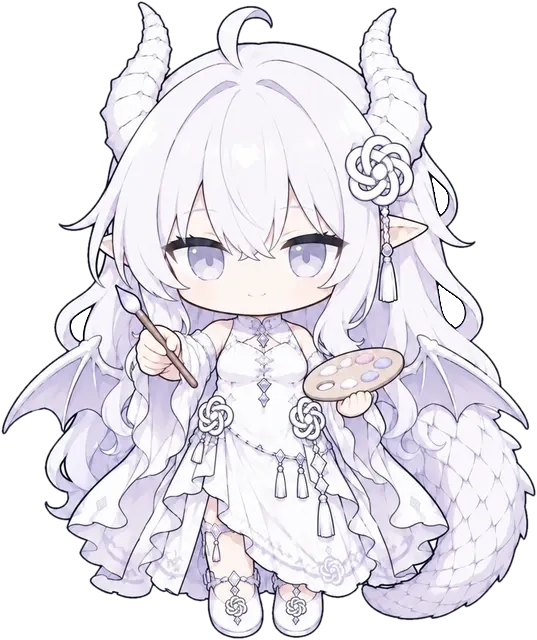
A CrossPet character pose, adapted from ZipZipPipe’s GPT white dragon design.
ZipZipPipe original character · CrossPet (lokicorvus) adaptation
CC BY-NC-SA 4.0Choose the companion you want
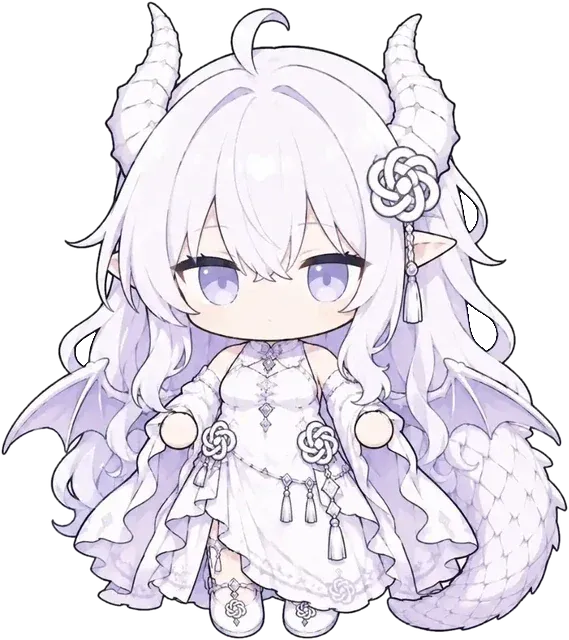
Animated desktop companion
CrossPet
Windows 10 1903+ / 11 · macOS 13+
Choose this for a full-body GPT dragon girl on your desktop, with different reactions and optional links to your AI work.
Download CrossPet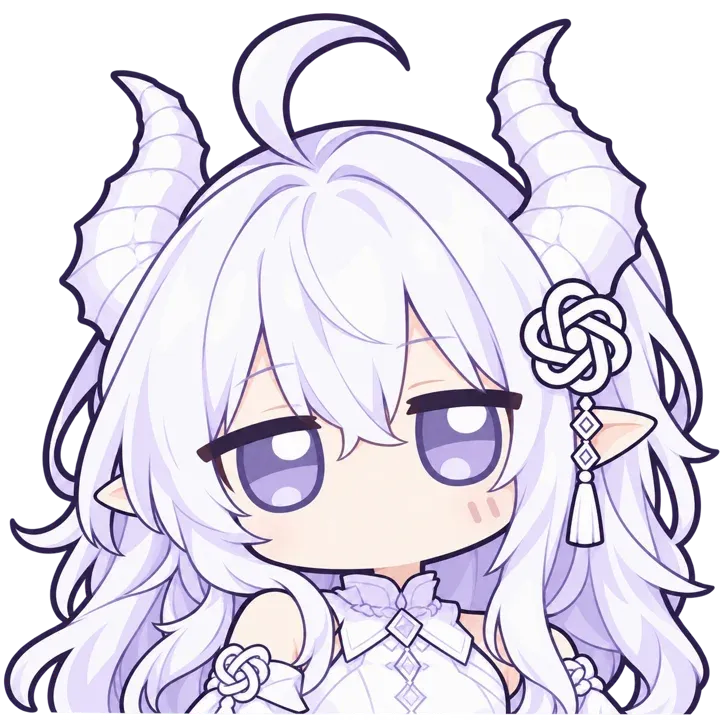
Codex usage widget
GPT-Niang
Windows 10 / 11 · macOS 13+
Choose this if you already use Codex and want a compact character you can click to see usage and short quotes. It uses a static bust with press animations.
GPT-Niang stable releaseThe familiar white dragon design
White hair, segmented dragon horns, pointed ears, a knot-shaped ornament, a white-and-purple outfit, wings and a scaled tail identify this GPT girl. Our character profile and CrossPet’s chibi interpretation share that design, credited to ZipZipPipe.
Different projects also use the name “GPT girl” for green-and-white characters. Check the preview when choosing a pet if you want this white dragon version. CrossPet’s artwork is an adaptation of the community character.
Install CrossPet and choose GPT
You can display GPT as a desktop companion before connecting any coding tool. Start with the packaged app for your system.
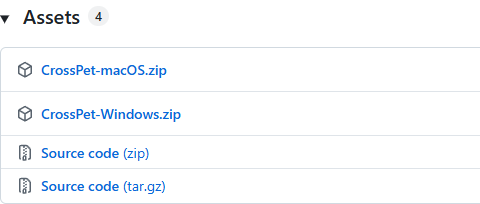
Windows
Windows 10 version 1903 or later, or Windows 11. The Windows package supports x64 and ARM64.
Download CrossPet-Windows.zip- Extract the complete ZIP to a local folder and run install.cmd.
- The installer adds CrossPet to your user’s Programs folder, creates a Start menu entry and launches it. The author says administrator access is unnecessary.
- If the app asks for WebView2, follow its Microsoft installation link. Windows 11 includes this runtime.
- Right-click the pet and use the character picker to select the original GPT design.
macOS
macOS 13 or later, on Apple Silicon or Intel.
Download CrossPet-macOS.zip- Extract the ZIP and move CrossPet.app into Applications.
- Open the app. For the first launch, follow the author’s macOS instructions if the system asks you to allow the unsigned app in Privacy & Security.
- Open the pet’s character picker and select GPT.
- To keep GPT selected, turn off following the foreground AI app and AI work events in the character settings.
Keep her on screen, or connect her to your work
For a permanent GPT companion, select her manually and turn off both automatic character-following options in Settings → Character. Displaying the pet alone does not require an API key.
For work reactions, use Settings → Connect AI and follow the project’s integration guide for your tool. The app responds to supported work events with prepared character poses. On macOS, integration setup requires python3; the Windows package includes Python.
Already using Codex? GPT-Niang is a focused alternative
GPT-Niang shows the same white dragon girl as a compact bust. Click her to see Codex usage or a quote; the character has press and bounce effects. This is a usage widget rather than a walking, full-body animated pet.
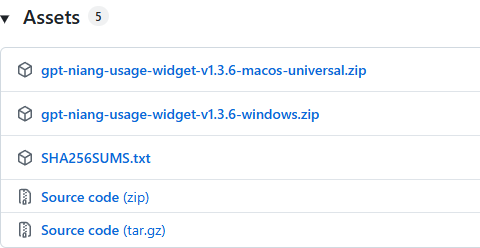
The stable v1.3.6 release requires Node.js 20+ and the Codex desktop app signed in with a ChatGPT account. Download the packaged Windows or macOS build from the stable release. Its newer Windows beta has different requirements, so follow the instructions for the version you choose.
On Windows, extract the complete package and run 安装GPT娘.cmd, then open Codex. On macOS, move GPTNiangMac.app into Applications and open it, then open Codex. Choose desktop positioning in the widget’s display settings if you want to drag it freely.
Character and project credits
GPT white dragon design: ZipZipPipe. CrossPet artwork: CrossPet / lokicorvus, shared under its CC BY-NC-SA 4.0 artwork terms; its code uses MIT. GPT-Niang’s character image has separate terms from its MIT code. Keep the relevant creator credits when sharing artwork or a modified pet.