Bring the AI characters you know into new moments. Use a GPT-chan, Claude-chan or another favorite character reference, then describe a new expression, action or scene.
Generate from text or add optional reference images. Choose an image model and see the credit cost before generating.
The character you know, a moment you imagine
Three reference-based scenes, plus three original fan examples. Keep a familiar design or explore another interpretation, then change its expression, action or setting.
CHARACTER REFERENCE → NEW PICTURE
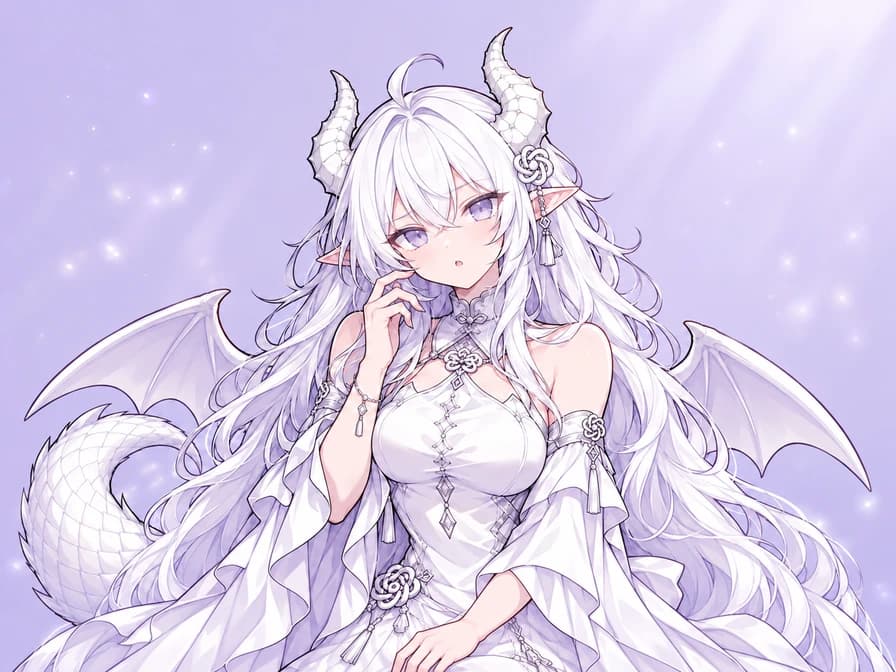
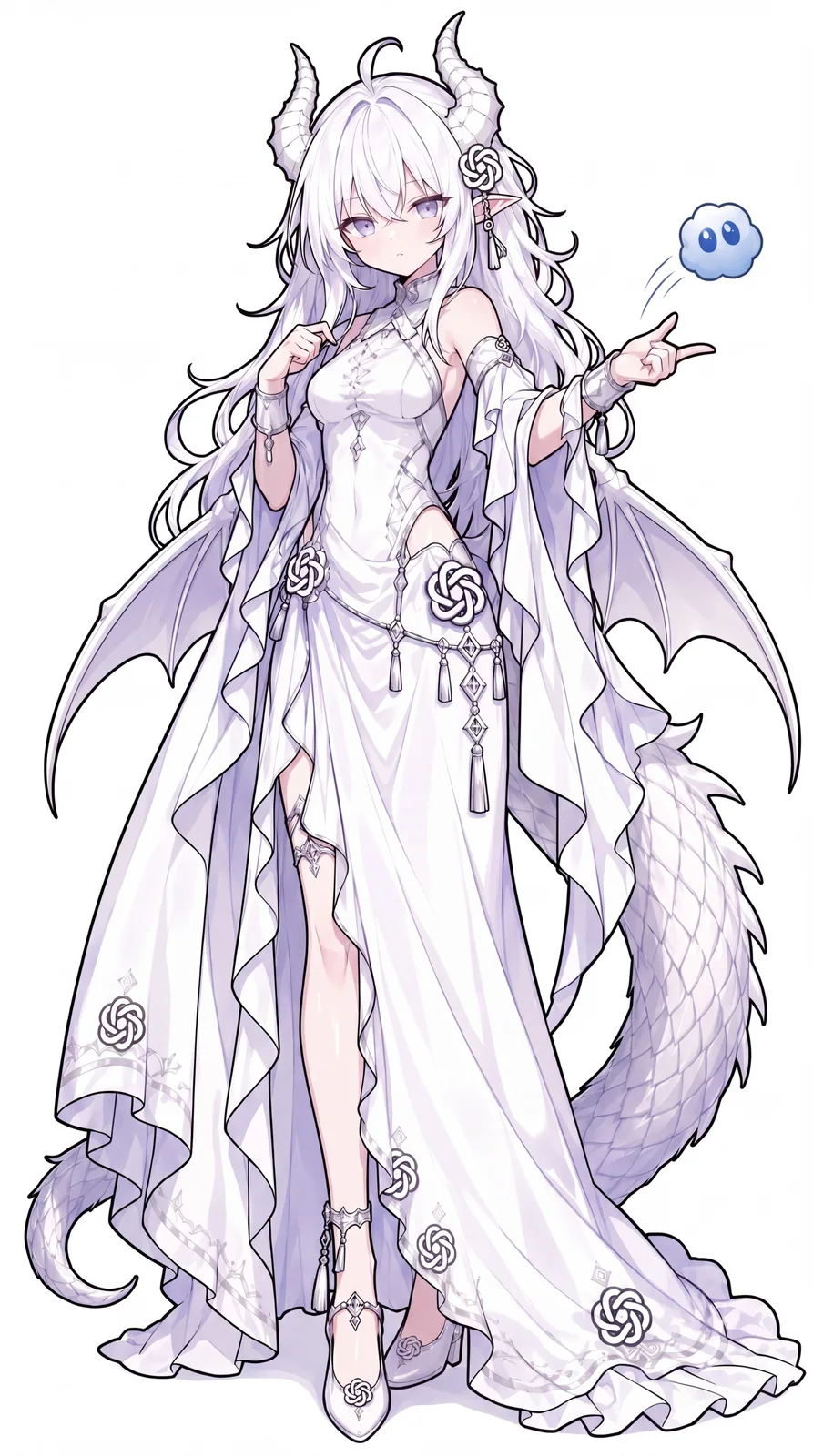
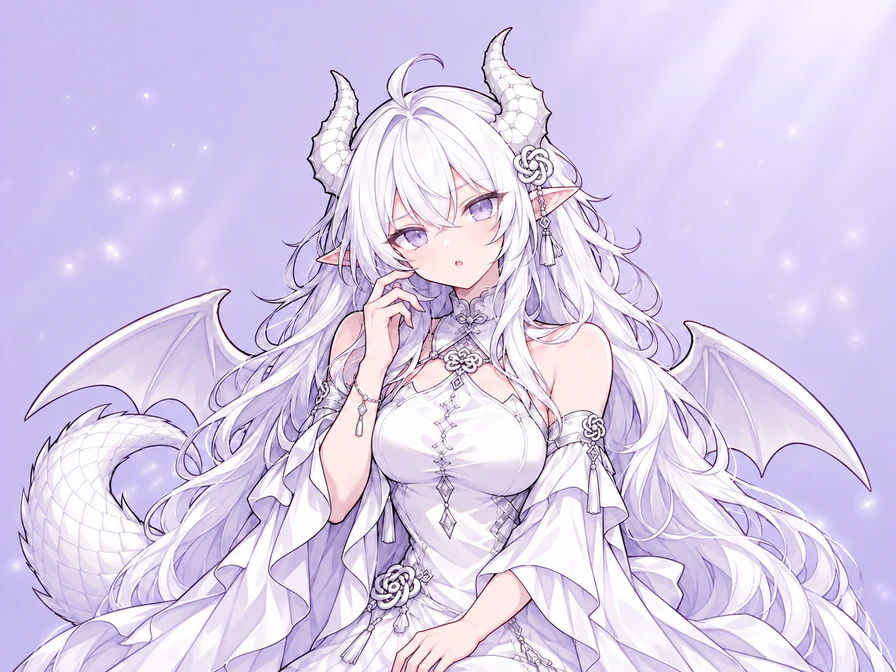
GPT-chan: wait, what?
Keep her white hair, dragon horns and lilac outfit. Change the calm pose into a confused look, with one raised eyebrow and a hand beside her cheek.
View the complete prompt
Use the attached GPT-chan reference for the same character: long white hair, lavender eyes, white dragon horns, pointed ears, white and lilac dress, knot ornaments, dragon wings and tail. Create a confused upper-body reaction with one raised eyebrow, a small open mouth and one hand near her cheek. Keep the face, outfit and signature details recognizable. Clean anime linework and soft cel shading, simple pale lavender background, landscape 4:3 framing with space around the horns and hand. One character, no text or watermark.
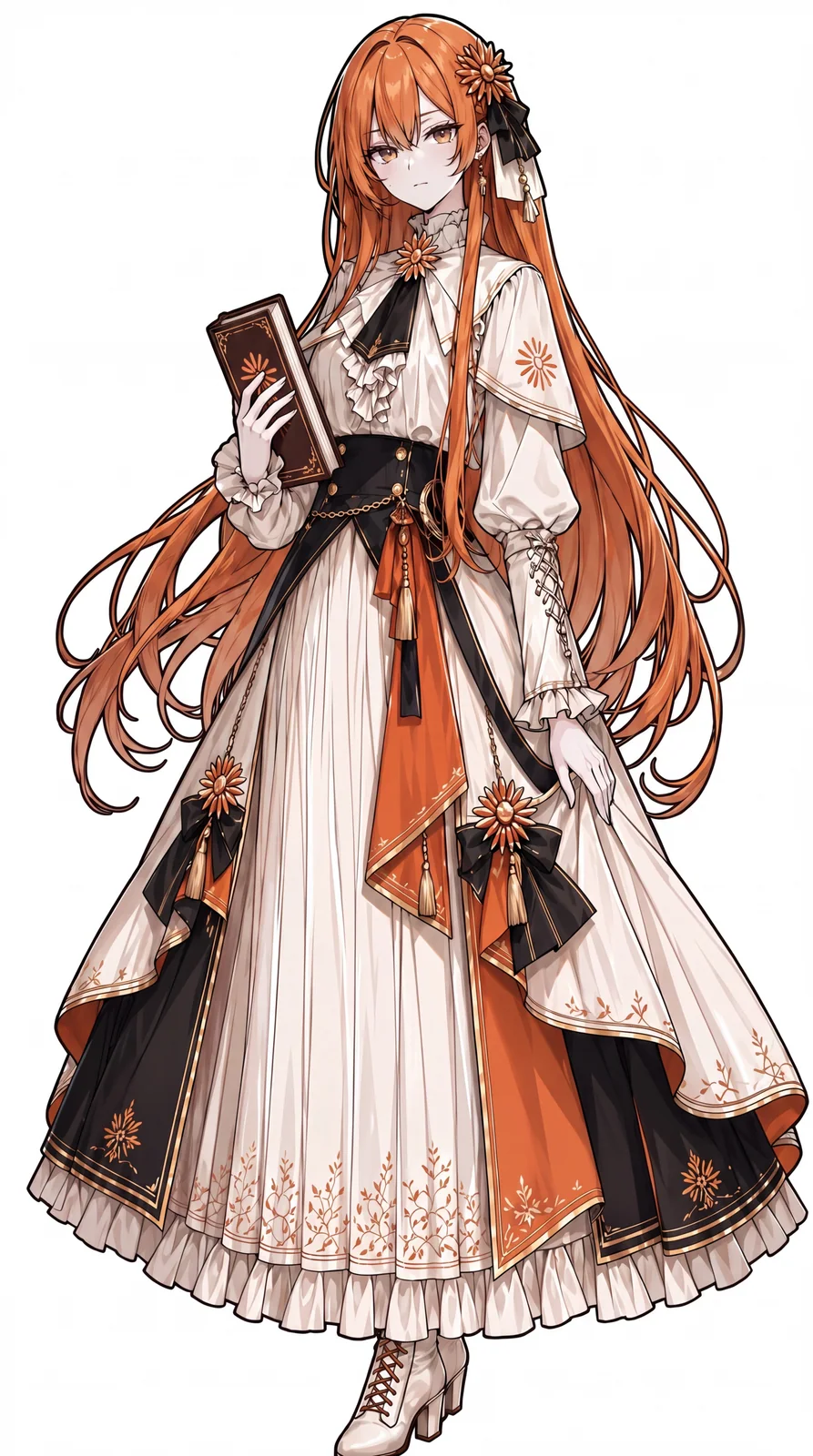
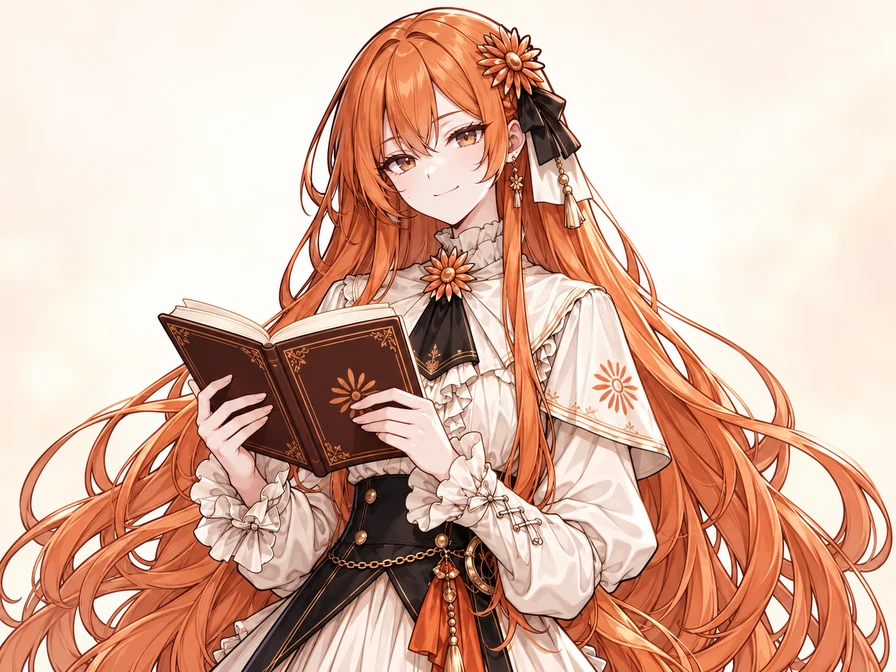
The same long orange hair, flower ornament and elaborate dress. Give her a small satisfied smile and an open book after solving a difficult question.
View the complete prompt
Use the attached Claude-chan reference for the same character. Preserve her long copper-orange hair, amber eyes, flower hair ornament, black and ivory ribbons, earrings, ivory ruffled dress, black bodice, orange accents and shoulder cape. Give her a small satisfied smile after solving a difficult question, holding an open book at chest height. Keep her face and outfit recognizable; do not add glasses or shorten her hair. Fine anime linework, soft cel shading, simple warm ivory background, landscape 4:3 upper-body composition with room around her head and hands. One character, no readable text or watermark.
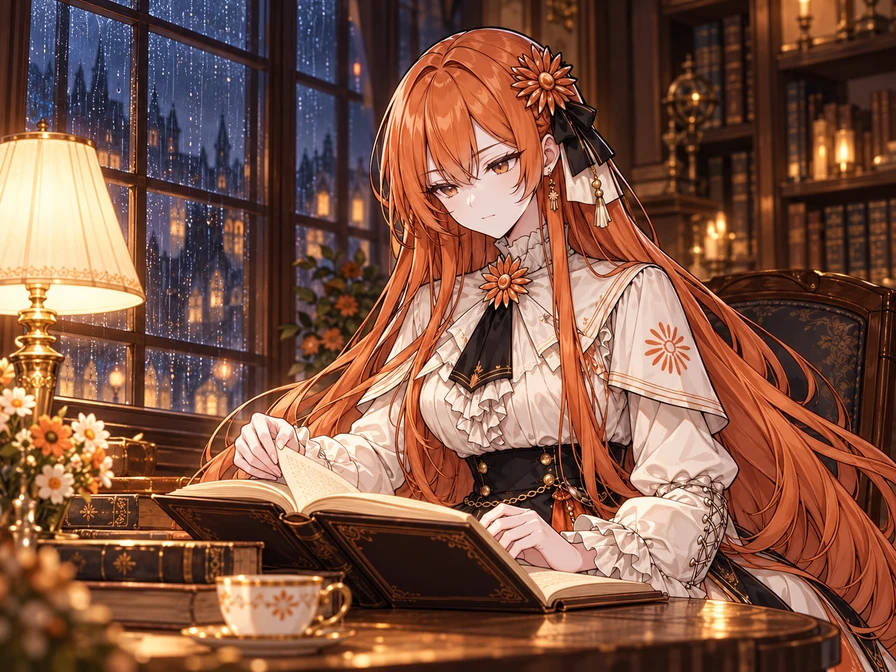
Take her beyond the portrait. Seat the same character by a library window, with an open book, a warm reading lamp and rain outside. Describe the new setting while keeping her face and outfit.
View the complete prompt
Use the attached Claude-chan image as the character reference. Keep her long copper-orange hair, amber eyes, orange flower hair ornament with black and ivory ribbons, earrings, ivory ruffled dress, black bodice, orange and gold accents, and small shoulder cape. Place her at a wooden table beside a rain-streaked library window at night, quietly reading an open book and turning one page. Warm reading lamp, softly blurred bookshelves and a blue-gray rainy night outside. Preserve her face, outfit and anime linework; do not add glasses or shorten her hair. Landscape 4:3 waist-up story illustration, with the whole head and visible hands inside the frame. One character, no readable text or watermark.
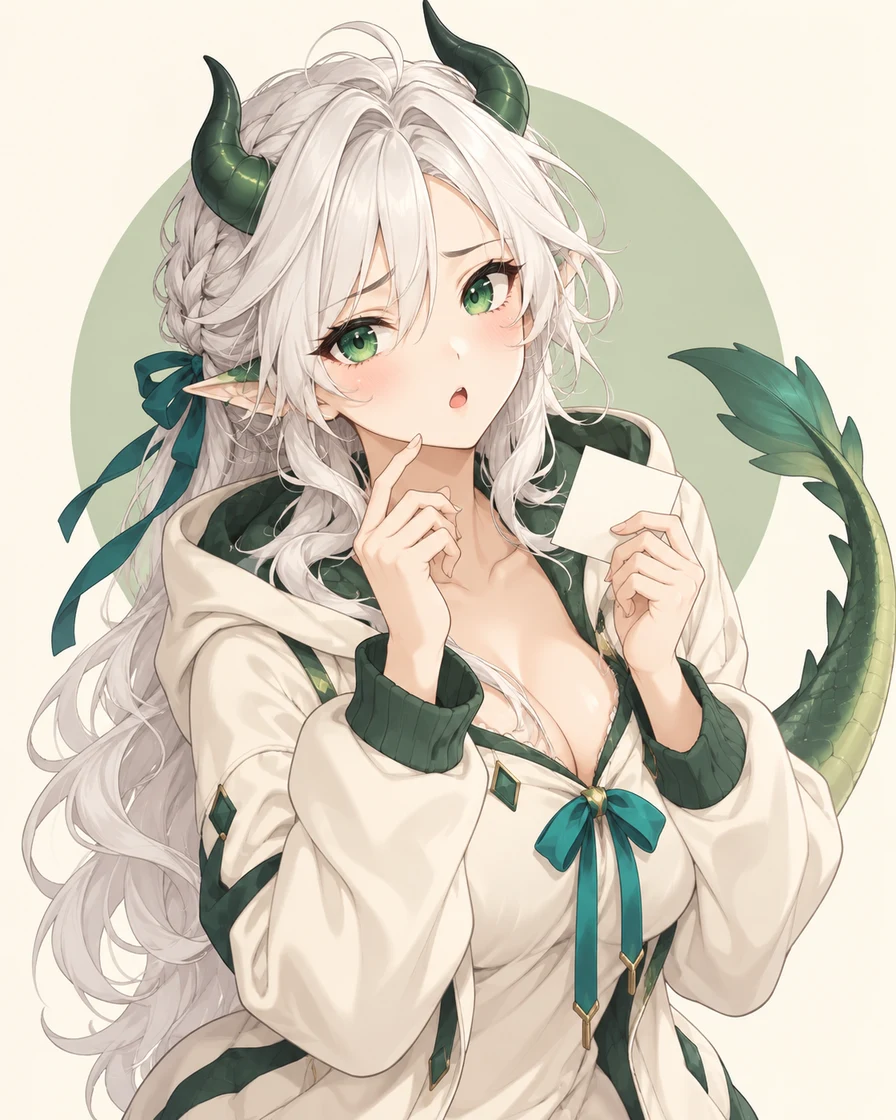
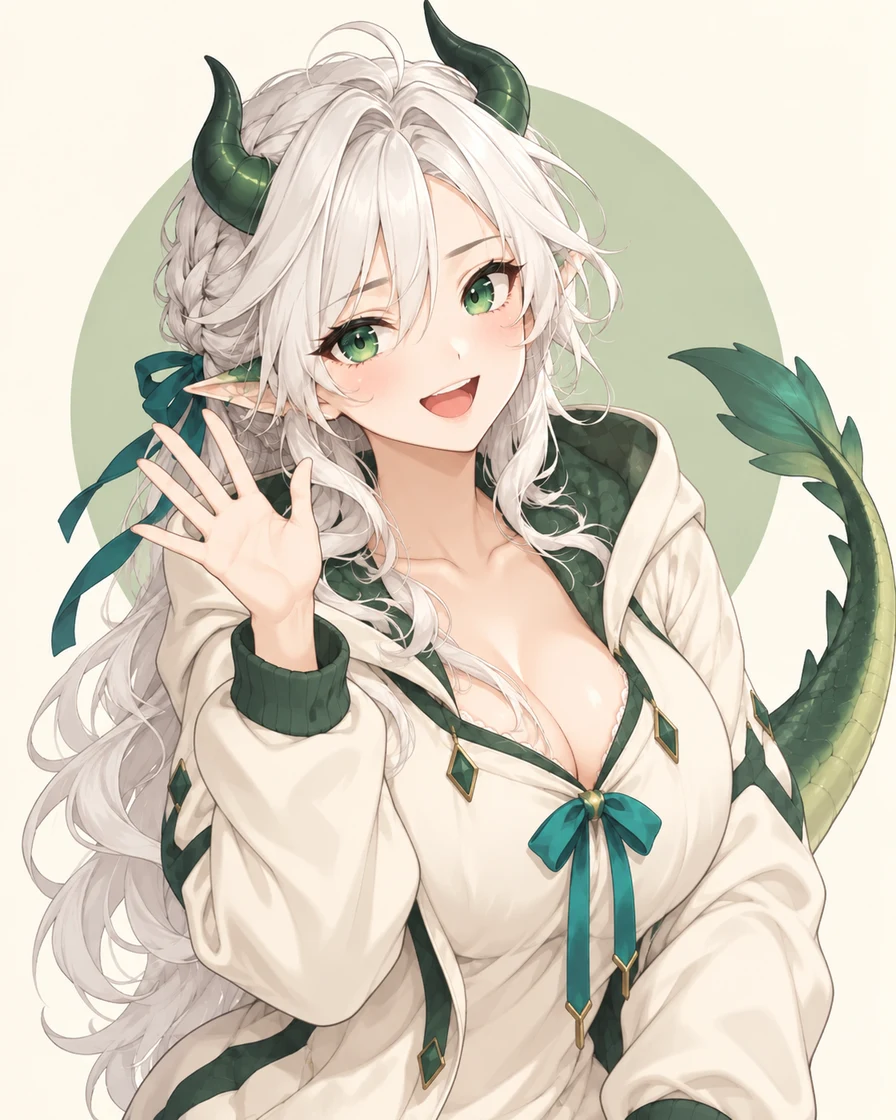
Green horns, a teal ribbon and a tiny blank note give this dragon assistant a clear identity. Try a proud smile or a tired glance while keeping those details.
Create one upper-body anime reaction image of a fan-made GPT-chan interpretation: an adult white-haired dragon woman with emerald eyes, small dark-green horns, a cream hoodie with green trim, a teal ribbon and a green dragon tail. She looks confused but endearing, with one raised eyebrow, a small open mouth, one hand near her face and a tiny blank note in the other. Fine manga linework, delicate cel shading, warm ivory background and a soft sage circle. Keep the horns, hands and tail tip inside the image with generous padding. One character, no text, logos or watermark. If I provide a character reference, use its appearance and outfit instead of inventing a different version.
An original fan interpretation, separate from the character designs in the guide.
ORIGINAL FAN INTERPRETATION
Claude-chan: a quiet breakthrough
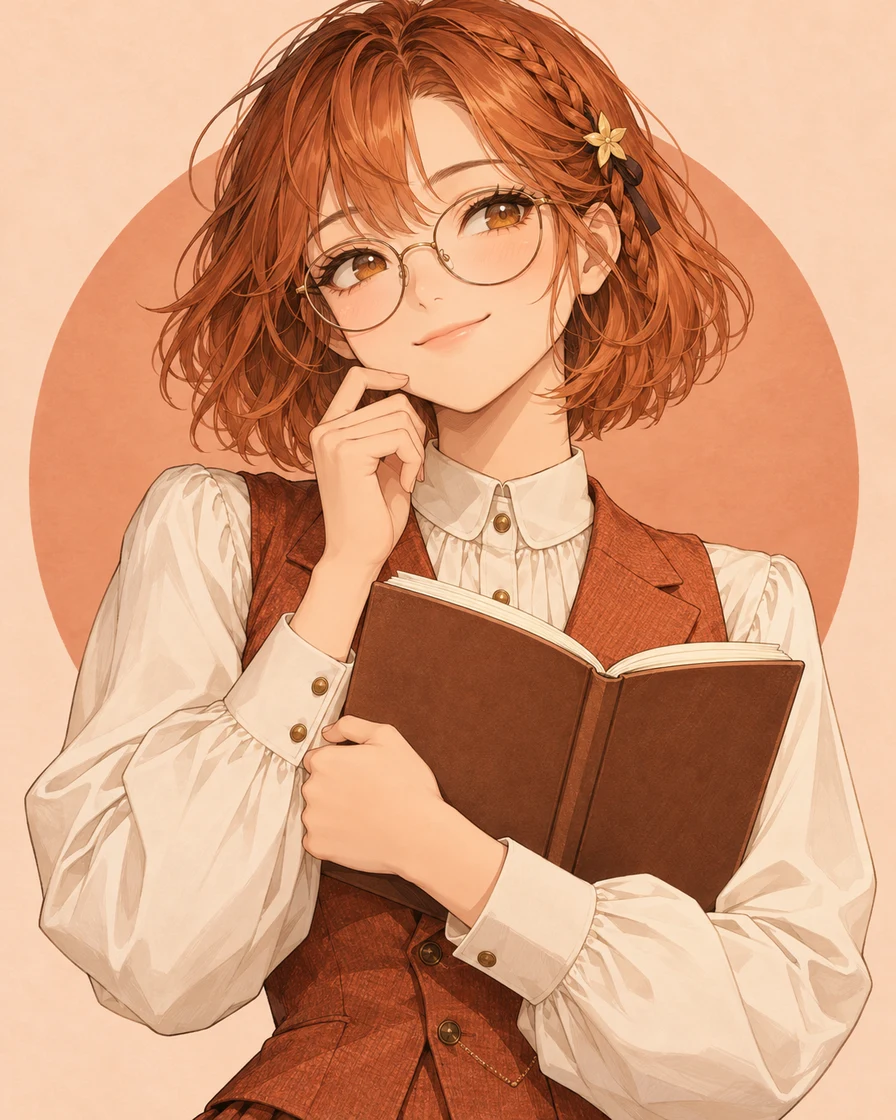
Warm auburn hair, round glasses and an open notebook set a scholarly mood. Change the smile to surprise, or bring your preferred character version as a reference.
Create one upper-body anime reaction image of a fan-made Claude-chan interpretation: an adult scholarly woman with an auburn-orange bob, amber eyes, round reading glasses, a small star hair clip, a buttoned ivory blouse and a terracotta waistcoat. She has a small satisfied smile after solving a difficult question and holds an open blank notebook. Fine manga linework, soft cel shading, pale peach background and a terracotta circle. Leave space around her head and hands. One character, no text, logos or watermark. If I provide a character reference, preserve that version's hair, face, outfit and accessories while changing the expression.
An original fan interpretation, separate from the character designs in the guide.
ORIGINAL FAN INTERPRETATION
Same character, a new reaction
Turn a confused look into a cheerful wave. Keep the white hair, green horns, teal ribbons and hoodie from the reference. Load the image and prompt, then make it your own.
View the complete prompt
Use the reference image to keep the same character, hair, horns, face, outfit, ribbons and tail. Change her confused expression into a bright smile and have her wave with one open hand. Remove the blank note and the hand touching her face. Keep the upper-body composition, clean manga linework, colors and simple ivory background. Leave space around the horns, hands and tail. One character, no text or watermark.
An original fan interpretation, separate from the character designs in the guide.
Reference imageNew picture
Replaces your current images and prompt, clears the selected style and returns to the tool. Click Generate when you are ready. Prompt-only buttons keep your attached images.
Illustrations made with imagegen. Character references are credited where used; the complete prompts remain editable.
Give each reference a clear role
Start with a clear image of the character. If you add a second image for style, identify each by its order and say which details it should guide. The image model controls generation; it does not select a fan character design.
Example instructions for two references
Use image 1 for the character's face, hair, outfit and signature details. Use image 2 only for linework and shading, not its character or clothing. Keep the character from image 1 and give them a small relieved smile.
Write for the image you want to use
Describe the face, hair, outfit and one signature feature, then add the expression, gesture, art style and framing. A visible action gives “happy” or “relieved” a clearer direction.
A recognizable avatar
Choose a square ratio in Image settings. Ask for a centered head-and-shoulders portrait, a simple background and room around the hair and accessories for a circular crop. Check whether the face still reads at a small size.
View the complete prompt
Use the attached AI character reference to create a square anime avatar. Preserve the same face, hair, outfit and signature accessories. Give the character a gentle smile and attentive eyes. Head-and-shoulders view, centered face, simple pale background, crisp linework and soft cel shading. Leave space around the hair and accessories for a circular crop. One character, no text or watermark.
Give the face and gesture room. For relief, try relaxed eyebrows, gently closed eyes, lowered shoulders and one hand on the chest. Name any old pose or prop to remove, such as an open book.
View the complete prompt
Use the attached AI character reference and preserve the same face, hair, outfit and signature details. Show relief: eyebrows relax, eyes gently close and the mouth forms a small smile. Lower the shoulders and place one hand on the chest. Remove any book or old hand gesture. Upper-body reaction image with the whole hand and hairstyle inside the frame and generous padding. Clean anime linework, soft cel shading, plain warm background, one character, no text or watermark.
These buttons load a complete editable English prompt and keep your attached images. Add the character reference you want to follow and choose an aspect ratio before generating.
Make your AI character in three steps
1
Choose a character reference
Use an existing character design you like. Load a reference example below, or upload your preferred version and name the details to keep.
2
Describe the new moment
Ask for a new expression, gesture or setting while keeping the character recognizable. Choose the image model and check the cost before generating.
3
Review, download or keep editing
Compare the result with your intended design. Download the image you like, or continue editing with one specific change.
Choose the next edit
Compare the face, outfit and signature details with your original reference. Then check the hands, image edges and whether the expression reads at chat size.
One detail needs fixing
Use Continue editing to add the result to your input images. Review the attached images, remove any you no longer need and name the image to edit. Ask for one specific correction while describing what should stay.
The character has drifted
Remove the off-design result from the inputs and return to your original character reference. Repeat the defining details and request one reaction before building more variations.
Bring the entire tail inside the frame. Keep the face, outfit, colors and expression.
Each new generation uses the credit cost shown on the button. Download a version you like before continuing.
AI gijinka are fan-made personifications of AI models. GPT-chan and Claude-chan have multiple designs. A name alone may not select yours: show a reference and describe its hair, face, outfit, colors and distinctive features. A style reference can guide linework and shading separately.
Start with one character image here. For nine or sixteen expressions, use the dedicated sticker workflow, then choose a grid and save individual cells as PNG images.
No. You can generate an original character from text. Use a reference when you want a particular existing design, and describe the details you want to keep.
Start with the corresponding prompt and edit the expression or gesture. Add a reference for your preferred version. Review the face, hair and outfit in the result before making more variations.
This tool creates character images. You can make portraits, fan-made AI mascots and reaction art, then download or continue editing them.
Start with the free credits available in the generator. The selected model determines the cost shown before generation. Downloading an existing result does not create a new generation.
A white background is still part of the image. This page creates character pictures; the sticker workflow can cut a sheet into PNG cells while preserving its background. PNG format alone does not make that background transparent.
Familiar AI characters, new stories
What happens next to your favorite AI character?
Choose a familiar character reference and imagine their next expression, action or scene.